English
Deutsch
Nederlands
3
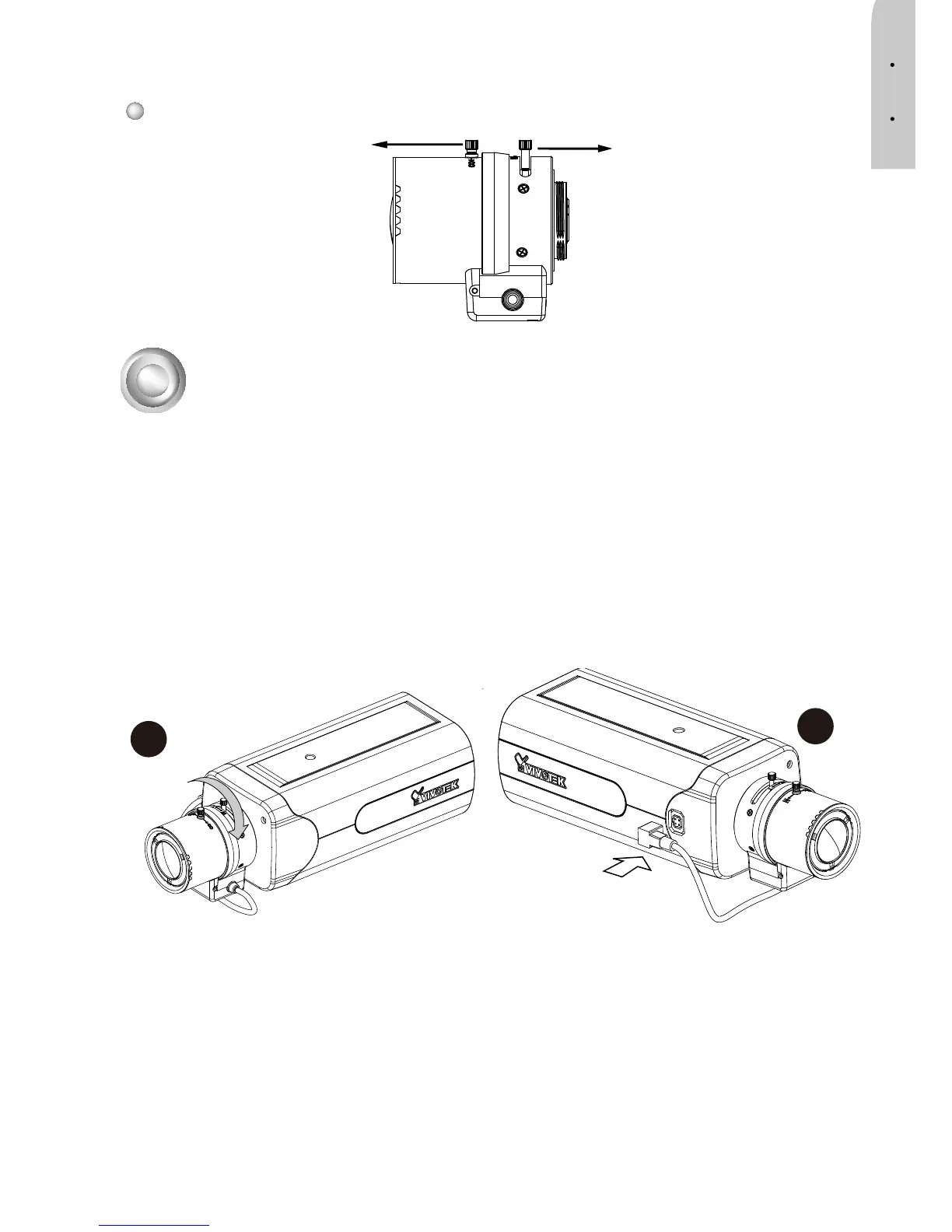
1. Mount the lens by turning it clockwise onto the camera mount until it stops.
Bringen Sie das Objektiv an, indem Sie es im Uhrzeigersinn an die Kamerahalterung
anschrauben.
Bevestig de lens door deze rechtsom op het bevestigingspunt op de camera vast te
draaien.
2. Connect the P-iris control cable to the socket.
Schließen Sie das Steuerungskabel der P-Irisblende an den Anschluss an.
Sluit de P-iris control-kabel aan op de aansluiting.
3
Mounting the Lens to the Camera / Objektiv an der Kamera
anbringen / De lens op de camera monteren
2
1
Lens / Linse / Lens
Focus Controller
Fokuseinstellung
Focusbesturing
Zoom Controller
Zoomeinstellung
Zoombesturing



 To Next Page