VIVOTEK
User's Manual - 13
Focus Assist (P-iris model only)
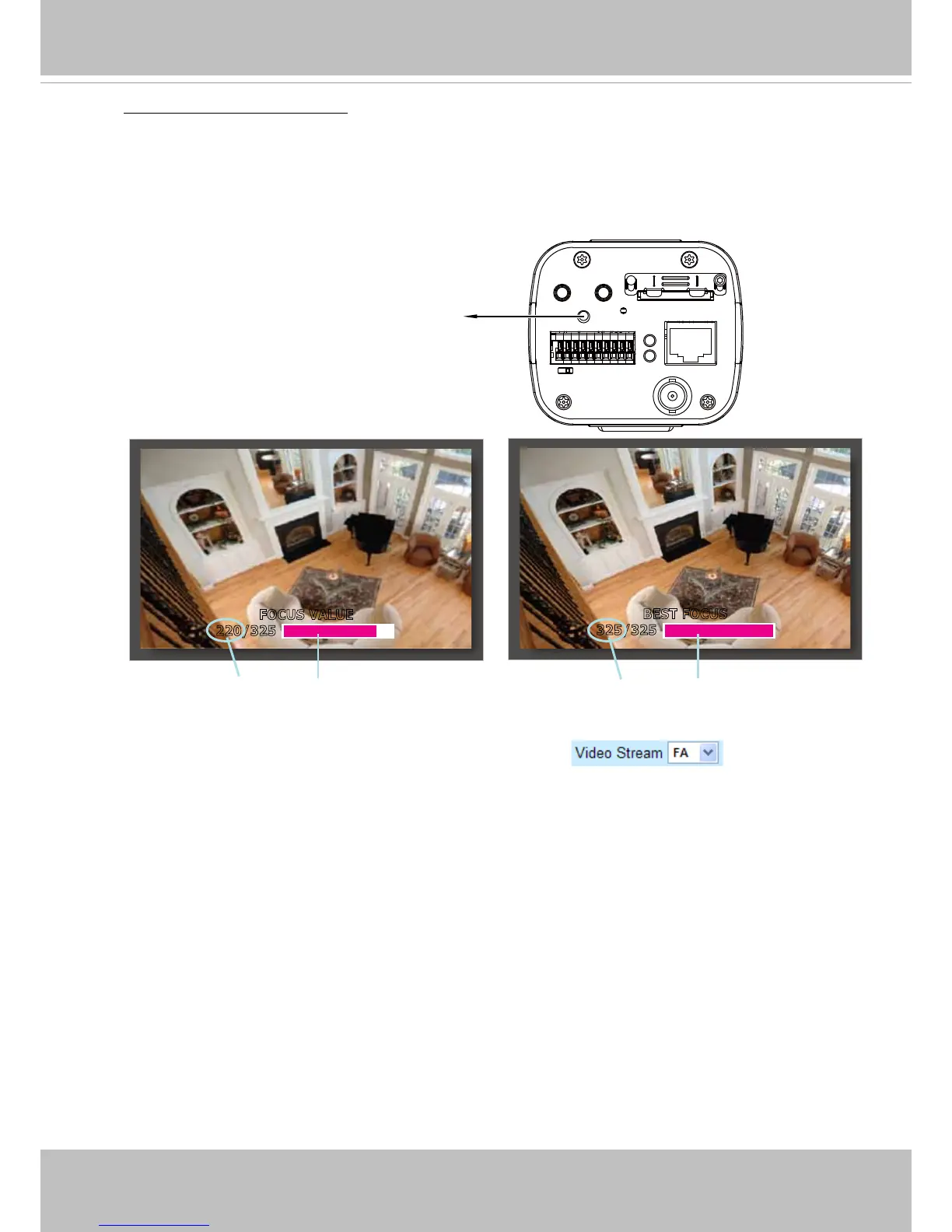
Please follow the steps to ne-tune the camera focus:
1. Adjust the C- or CS-mount ring and x the shooting direction.
2. Click “on“ to enable the focus assist function, then the Live Video Window will become full screen for
precise focus adjustment.
3. Push the focus assist button on the back panel of the camera, then a floating indicator will be
displayed on screen showing detailed focus information, which will change in accordance with the
manual adjustment.
4. Continue pushing the button to zoom in on the target area for ne tuning.
5. Click the “Esc” button to leave the full screen mode.
6. The Video Stream will become “FA” as shown on the right.
BEST FOCUS
325/325
FOCUS VALUE
220/325
The pink bar variates according to current focus value.
The pink bar reaches the peak while reaching the best focus.
P-iris model only



 To Next Page