EN - 3
English
Physical Description
2
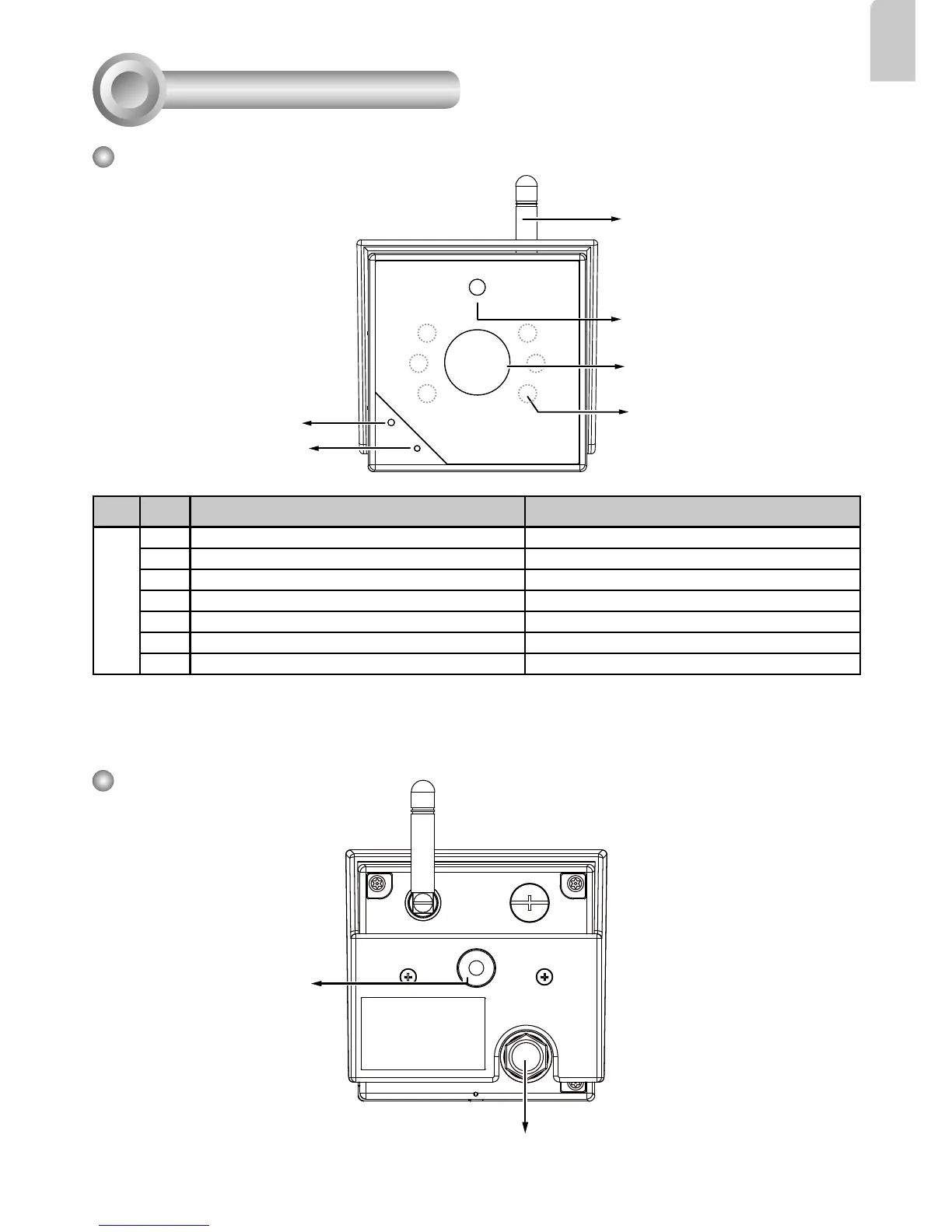
Front Panel
Status LED
Lens
Microphone
Item LED status Description
LED Definitions
1 Steady Red Powered and system booting, or network failed
2 Blue LED blinks every 0.15 sec. Searching for WPS
3 Green LED blinks every 1 sec. Network connected to an AP
4 Green and RED blink consecutively every 0.15 sec. Upgrading firmware
5 Steady Blue Operating in camera default AP mode
6 Orange blinks every 0.15 sec. Restoring defaults
7 All LED off Powered off
Light Sensor
Antenna
Back Panel
Mounting Hole
Power and I/O Combo Cable
IR LEDs behind panel



 To Next Page