EN-10
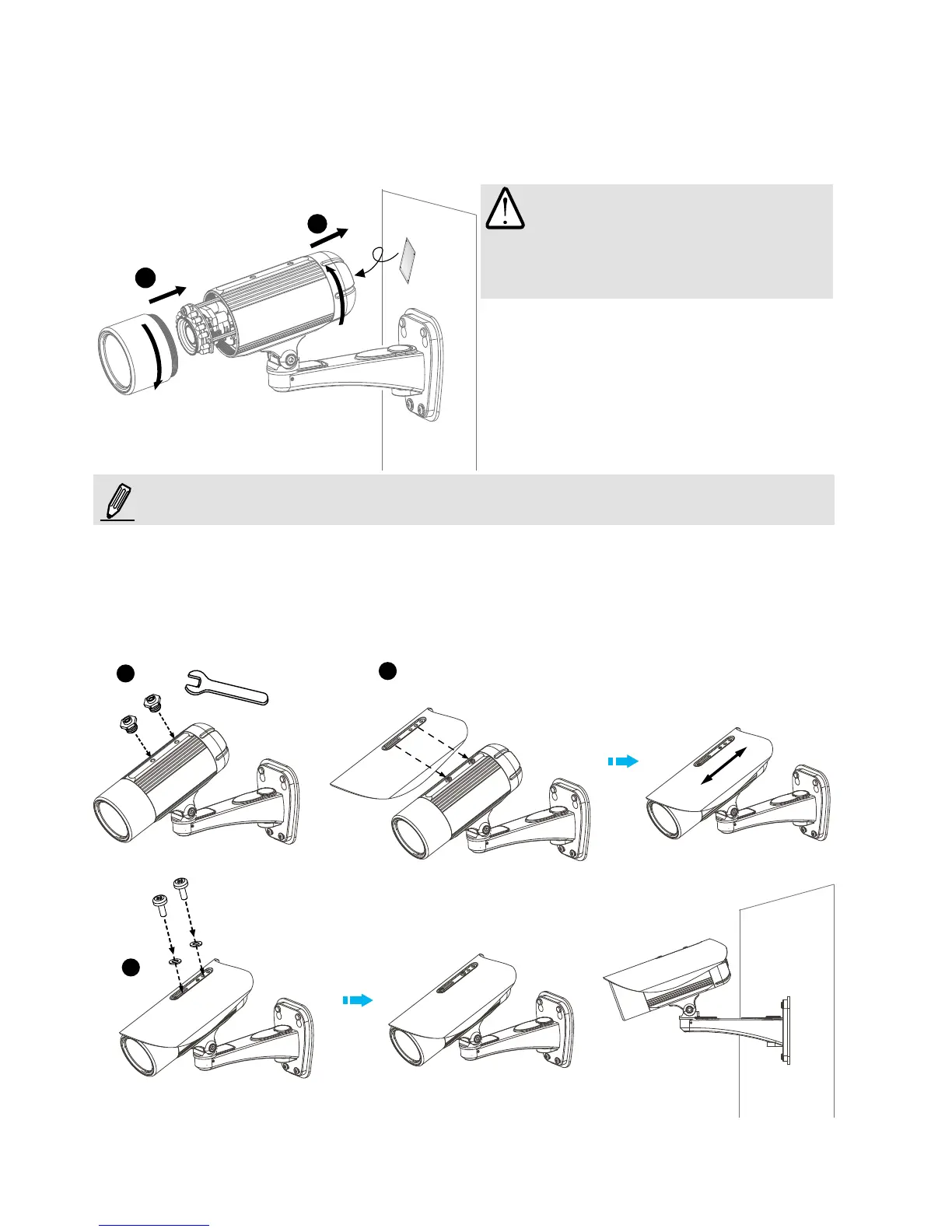
5. Tighten the lens cover.
6. Replace the moisture absorber with a new one if you open the back cover during the
installation procedure.
If you want to use the supplied sun shield for outdoor environments, please follow the steps below to
install:
1. Tighten the supplied two screws.
2. Attach the supplied sun shield to the Network Camera and slide it to the desired position.
3. Fix the sun shield with the supplied two screws.
5
6
1
2
3
NOTE:
IMPORTANT:
Please tear down the aluminum foil
vacuum bag and take out the moisture
absorber, then attach the absorber with
the supplied double-sided tape.



 To Next Page