VIVOTEK
94 - User's Manual
PTZ > PTZ settings
This section explains how to control the Network Camera’s Pan/Tilt/Zoom operation.
The e-PTZ fucntion allows users to quickly move the focus to a target area for close-up viewing
without physically moving the camera. Please refer to below for detailed instruction.
Digital PTZ Operation (E-PTZ Operation)
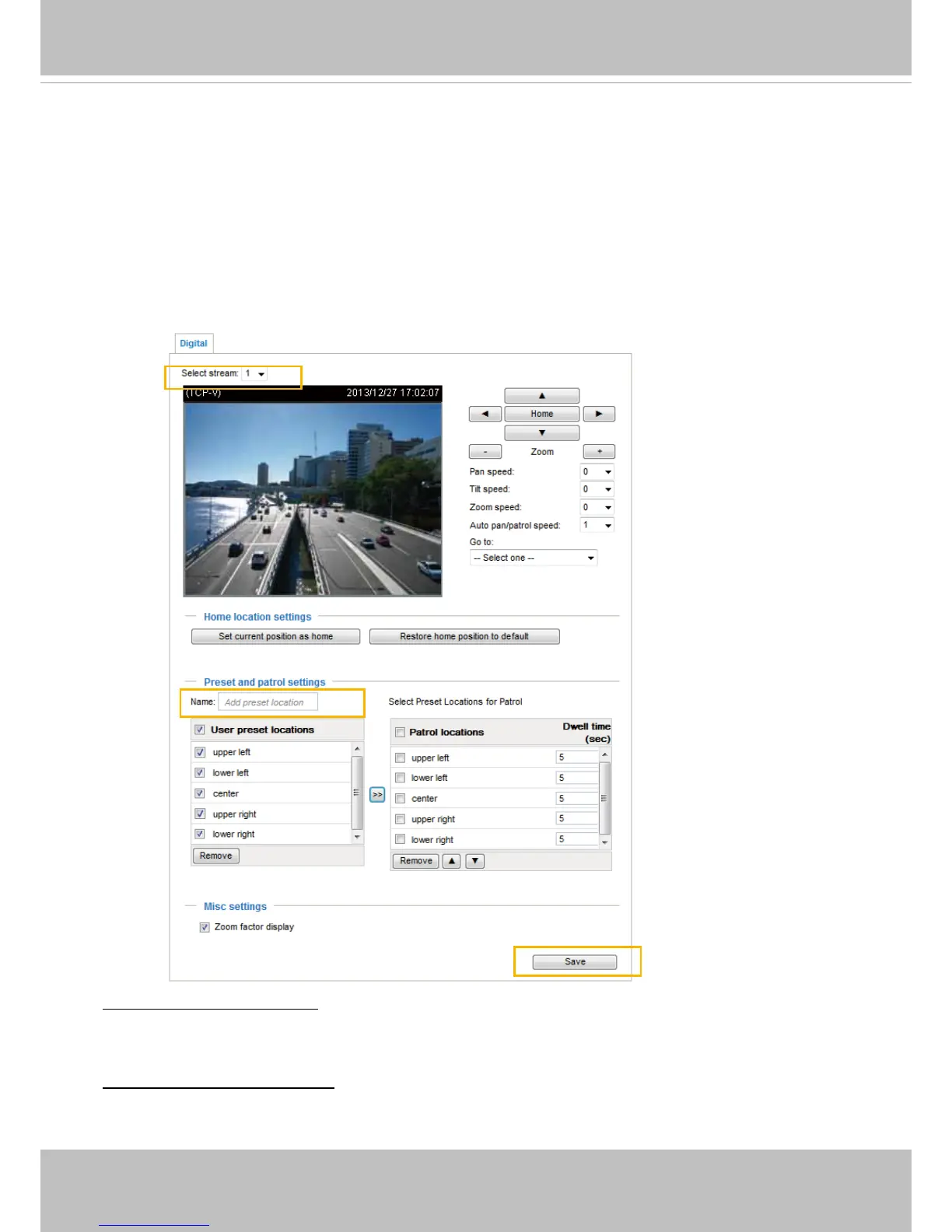
If you select “Digital“, the e-PTZ control settings section will be displayed as shown below:
Set current position as home: If you zoom in on a live view to display only a focused position of the
screen, you can use the arrow buttons on the PTZ panel to move the current eld of view to a place you
preferred, and set it as the home position.
Restore home position to default: This button cancels the previous home position, and returns the eld of
view to the system default (usually the center of FOV).



 To Next Page