EN-6
Network Deployment
5
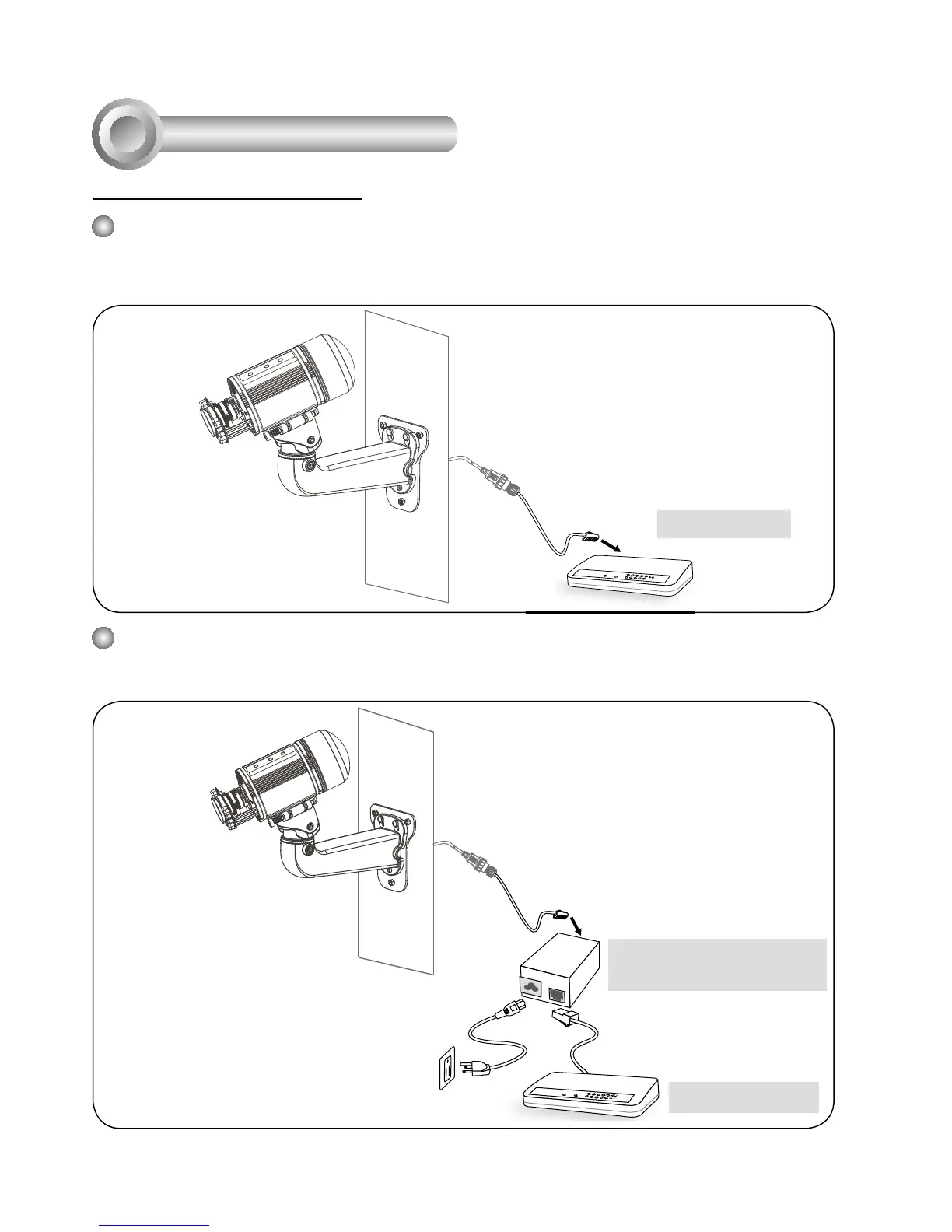
Power over Ethernet (PoE)
When using a non-PoE switch
Use a PoE power injector (optional) to connect between the Network Camera and a non-PoE
switch.
When using a PoE-enabled switch
The Network Camera is PoE-compliant, allowing transmission of power and data via a single
Ethernet cable. Follow the below illustration to connect the Network Camera to a PoE-enabled
switch via Ethernet cable.
POWER
COLLISION
LINK
RECEIVE
PARTITION
1
2
3
4
5
Non-PoE Switch
PoE Power Injector
(optional)
POWER
COLLISION
LINK
RECEIVE
PARTI TION
1
2
3
4
5
PoE Switch



 To Next Page