VIVOTEK
6 - User's Manual
Physical Description
Status LED
The LED indicates the status of the Network Camera.
Item LED status Description
1
Green and Red lit for once, and then turn steady red Power on and system booting
Red LED off Power off
2 Steady Red and Green blinking every 1 sec. Network normal (heartbeat)
Steady Red and Green LED is off Network failed
3
Red blinking every 0.15 sec., and Green LED blinking
every 1 sec.
Upgrading firmware
4
Red blinking every 0.15 sec. and Green LED blinking
every 0.15 sec.
Restoring default
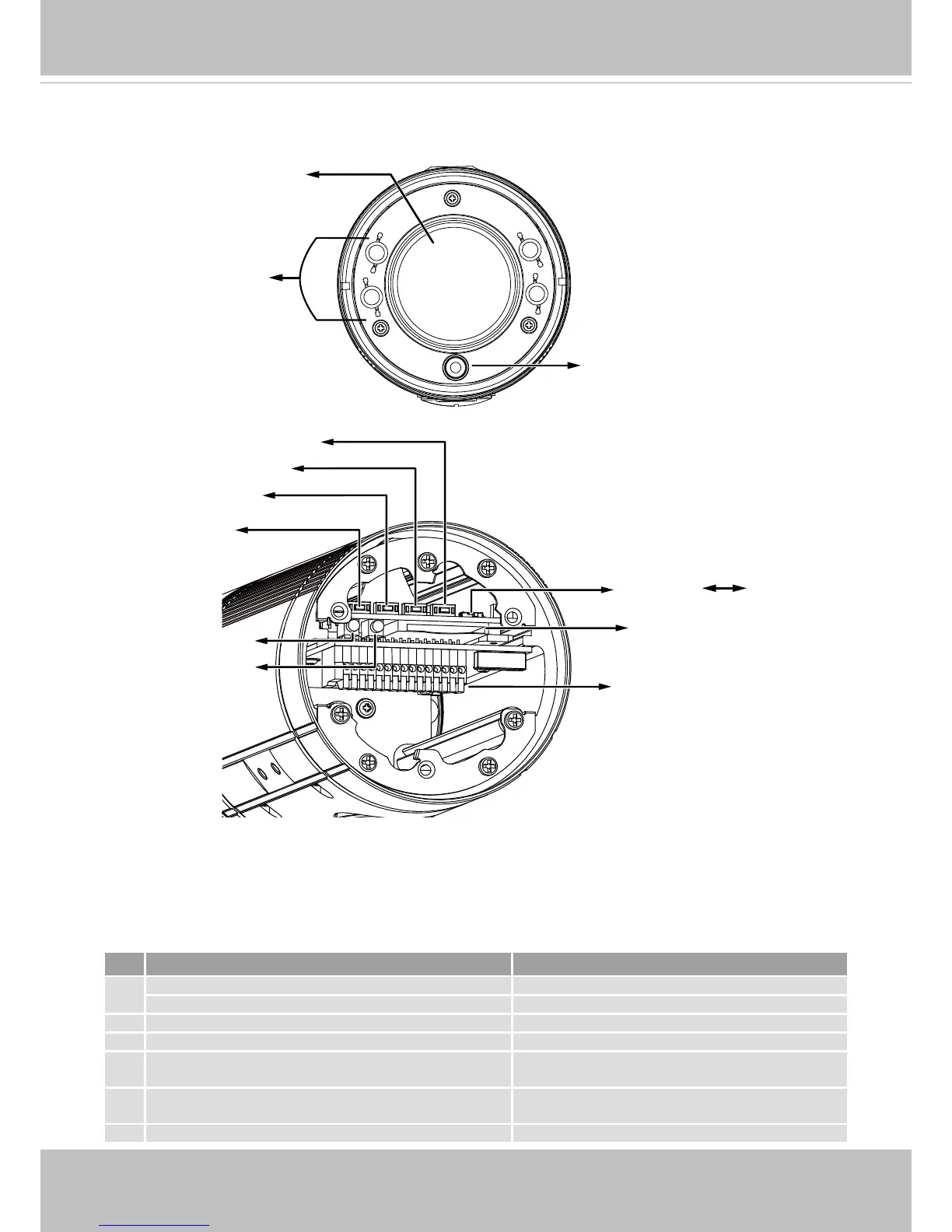
IR LEDs
Lens
Light Sensor
NTSC-PAL switch
General I/O Terminal Block
Reset Button
SD/SDHC/SDXC Card Slot
NTSC
PAL
Auto Focus
Zoom in
Zoom out
Red LED
Green LED





 To Next Page