VIVOTEK
16 - User's Manual
Software Installation
Installation Wizard 2 (IW2), a software included in the product CD, helps you set up your
Network Camera on the LAN.
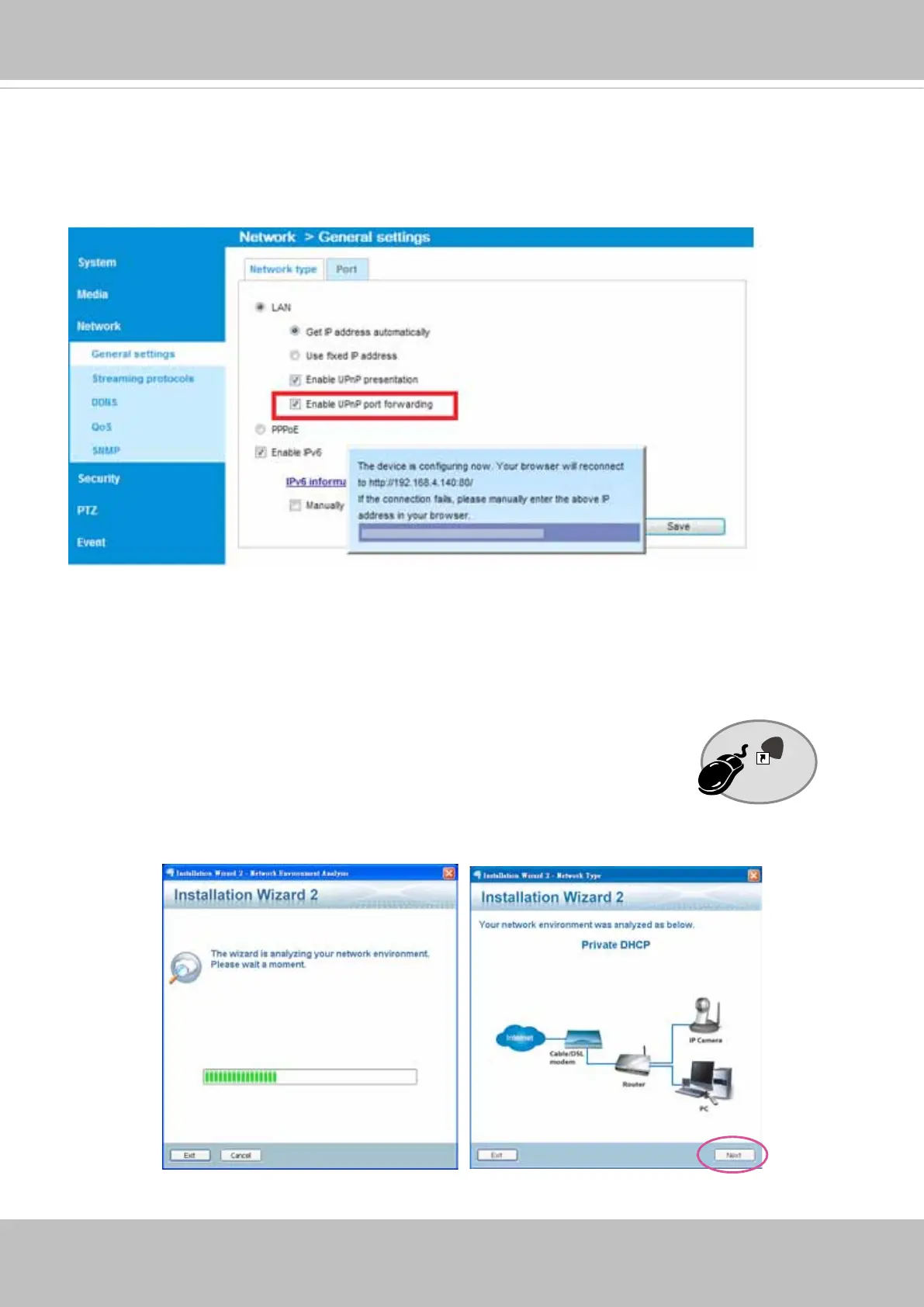
1. Install IW2 under the Software Utility directory from the software CD.
Double-click the IW2 shortcut on your desktop to launch the program.
2. The program will conduct an analysis of your network environment.
After your network environment is analyzed, please click Next to continue the program.
3. The program will search for all VIVOTEK network devices on the same LAN.
Installation
Wizard 2
IW
2
For more information with network conguration options (such as that of streaming ports),
please refer to Conguration > Network Settings. VIVOTEK also provides the automatic port
forwarding feature as an NAT traversal function with the precondition that your router must sup-
port the UPnP port forwarding feature.


 To Next Page