VIVOTEK
38 - User's Manual
Image settings
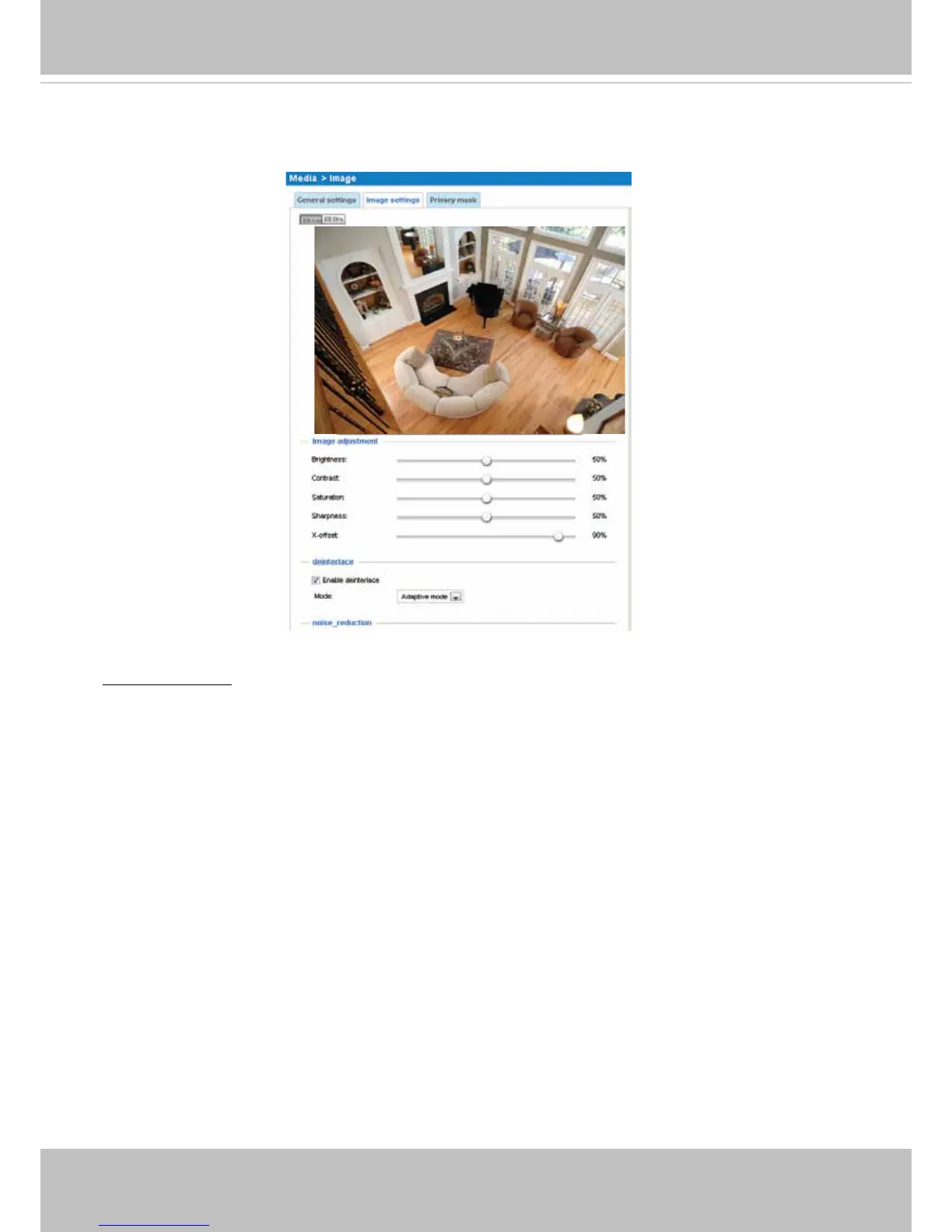
On this page, you can tune the White balance and Image adjustment.
Image Adjustment
■ Brightness: Adjust the image brightness level, which ranges from 0% to 100%.
■ Contrast: Adjust the image contrast level, which ranges from 0% to 100%.
■ Saturation: Adjust the image saturation level, which ranges from 0% to 100%.
■ Sharpness:
Adjust the image sharpness level, which ranges from
0% to 100%
.
■ X-offset: Adjust the image to the proper position horizontally.
■ Enable deinterlace: Check to enable deinterlace, and choose Adaptive mode or Blend mode in the
drop-down list. Adaptive mode provides the best image quality, while Blend mode provides better
image quality (than not using the deinterlace function at all).
■ Enable noise reduction: Check to enable noise reduction in order to reduce noises and flickers in
image. This applies to the onboard 3D Noise Reduction feature. Use the pull-down menu to adjust
the reduction strength. Note that applying this function to the video channel will consume system
computing power.
3D Noise Reduction is mostly applied in low-light conditions. When enabled in a low-light condition
with fast moving objects, trails of after-images may occur. You may then select a lower strength level
or disable the function.
■ Restore: Click to restore the default setting.
■ Save: When nished with the setting, click Save to enable the settings.



 To Next Page