8
1
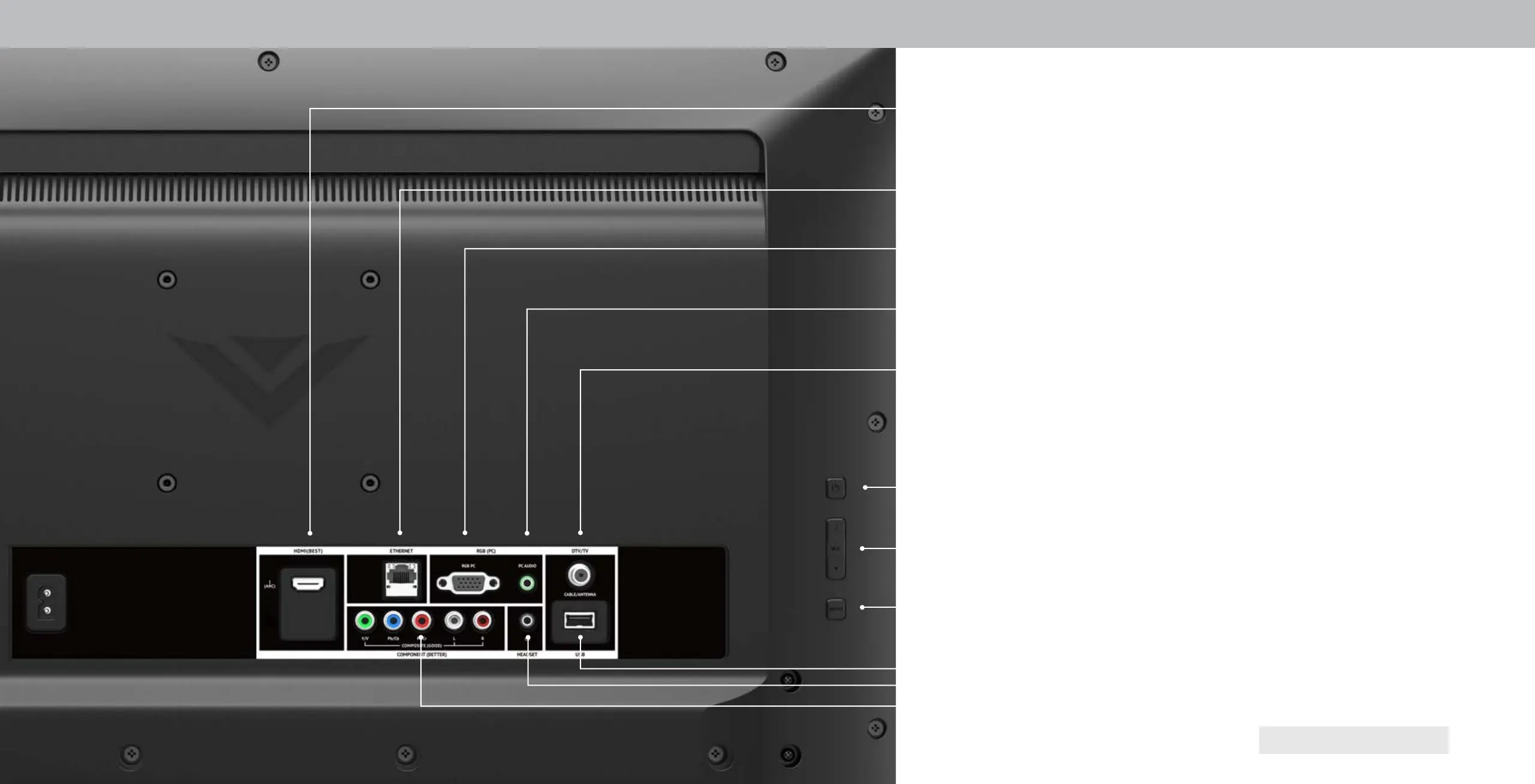
REAR PANEL
Components - onnect a component or composite devices.
USB - onnect a S thumb drive to play photo, music, or video.
HDMI - onnect an HDMI device.
Phone Jack (PC)- onnect a audio cable from .
RGB (PC) - onnect VA cable from .
Power - ress to turn on the TV. ress and hold to turn the TV o.
Input - Press to access the input menu.
Note: The image shown here is for illustrative purposes only and may be subect to change.
The actual number of ports and their locations may vary, depending on the model.
Volume - ress to increase or decrease the TV volume level.
Ethernet - Connect an Ethernet cable to modem/ router.
Coaxial - onnect a coaxial cable from cable, satellite, or antenna.
Audio Out - onnect to headphones or sound bar device.



 To Next Page