Need help?
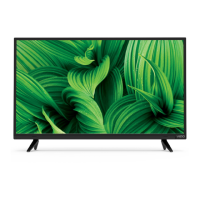
Do you have a question about the Vizio D32f-E1 and is the answer not in the manual?
Advises unplugging TV during storms for protection.
Selects the operating mode for the TV.
Details advanced picture adjustments like Color Temperature.
Controls content based on program ratings.
Prevents access to specific channels.
Blocks content based on rating categories.
Resets all TV settings to factory defaults.
Guides on resolving common TV operational issues.
Steps to resolve remote control issues.
Troubleshooting steps for no signal errors.
Steps to diagnose power issues.
Troubleshooting steps for no image display.
Steps to resolve audio issues.
Advice for improving sound clarity.
Steps to fix color display problems.
Tips for improving overall image quality.
Addresses issues with image noise or static.
Provides steps for obtaining warranty service.
 General
| Screen shape | Flat |
|---|---|
| Response time | - ms |
| Display diagonal | 32 \ |
| Display brightness | - cd/m² |
| Display technology | LED |
| Native aspect ratio | 16:9 |
| Motion interpolation technology | - |
| Tuner type | Analog & digital |
| USB 2.0 ports quantity | USB 2.0 ports have a data transmission speed of 480 Mbps, and are backwards compatible with USB 1.1 ports. You can connect all kinds of peripheral devices to them. |
| Component video (YPbPr/YCbCr) in | 1 |
| Product color | Black |
| Panel mounting interface | 100 x 100 mm |
| RMS rated power | 10 W |
| Wi-Fi standards | Wi-Fi 4 (802.11n) |
| Power consumption (standby) | 0.5 W |
| Power consumption (typical) | 26.07 W |
| Sustainability certificates | ENERGY STAR |
 Weight and Dimensions
| Depth (with stand) | 200 mm |
|---|---|
| Width (with stand) | 730.8 mm |
| Height (with stand) | 478.3 mm |
| Weight (with stand) | - g |
| Depth (without stand) | 76 mm |
| Height (without stand) | 430.8 mm |
| Weight (without stand) | 4989 g |


 To Next Page