Need help?
Do you have a question about the Vizio E32-D1 and is the answer not in the manual?
Provides critical safety instructions for the installation, use, and maintenance of your VIZIO E-Series HDTV.
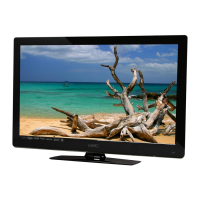
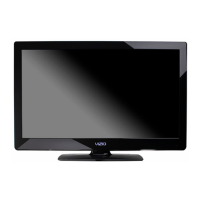
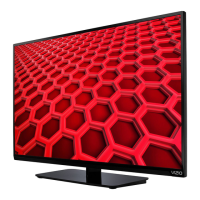
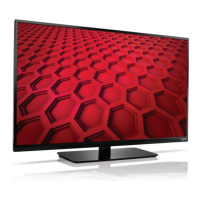
Details the front panel components and indicators of the E-Series TV, including the remote sensor and power indicator.
Illustrates and describes the rear panel connections, including power, USB, HDMI, component, coaxial, and Ethernet ports.
Explains the functions of each button on the basic remote control for operating the E-Series TV.
Provides step-by-step instructions on how to open the remote and replace the AAA batteries.
Guides users through selecting a wireless network and entering the password during initial TV setup.
Instructions on how to assign a personalized name to your VIZIO SmartCast device for easy identification.
Details the process of registering your VIZIO SmartCast device, with an option to skip.
Explains how to sign in with an existing Google account or create a new one during setup.
Details how to reveal the side menu and tap 'View Profile' to access user profile settings.
Explains how to access account settings to change name, email, and password.
Describes how to edit profile color, name, and location via the 'Edit Profile' option.
Instructions on how to add a title to your watchlist and set alerts for new airings.
Guides users on adding movies and TV shows to collections and creating new collections.
Details the process for naming a device and setting up a channel lineup for unsupported devices.
Instructions on how to remove a paired SmartCast device from the SmartCast App.
Guides on how to access and change settings for a listed SmartCast device.
Explains various picture modes (Standard, Calibrated, Vivid, Game, Computer) for optimal viewing.
Details how to adjust auto brightness based on ambient light for optimal picture.
Explains how to use Active LED Zones for contrast and Clear Action for motion blur reduction.
Covers settings for reducing noise, pixelation, and video lag for improved image quality.
Instructions on how to save custom picture settings as a new picture mode.
Details how to delete custom picture modes and what happens to assigned inputs.
Explains how to reset custom preset picture modes to their factory default values.
Guides users to the Color Calibration menu from the Picture menu.
Details on adjusting HSB color, white balance, and performing calibration tests.
Explains how to control TV speakers, surround sound, and volume leveling.
Details audio settings for balance, lip sync, and digital/analog audio output configurations.
Instructions on how to set the TV to turn off automatically after a specified period.
Details on enabling/disabling the auto power off feature for energy saving.
Guides for connecting to a broadcast wireless network by entering SSID and password.
Details on manually configuring network settings like IP address, subnet mask, and DNS.
Instructions on locating RJ45 and Wireless MAC addresses for network configuration.
Steps to connect to a wireless network whose SSID is not broadcast.
Details on scanning for free over-the-air and cable channels.
Explains % Complete, Analog Audio, Digital Language, Parental Controls, and Current Channel.
Instructions on renaming inputs for easier recognition on the Input menu.
Details on enabling HDMI Color Subsampling for 4K resolution at 60Hz on HDMI 1.4 devices.
Explains how to view system information, tuner, network, and ULI information.
Guides users on how to change the menu language to English, Español, or Français.
Instructions for setting the TV's time zone, date, time, and time format.
Details on enabling/disabling CEC function to control HDMI-connected devices.
Guides on setting a system PIN code for security and access.
Instructions on how to reset the TV to its original factory default settings.
Explains how to enable or disable the Smart Interactivity feature.
Details on how to enable or disable the Store Demo mode on the TV.
Instructions on how to delete a mobile device that is paired with the TV.
Details the warranty period, what is covered, and what is excluded for VIZIO products.
Provides instructions on how to get service, including contact information and obligations before service.
Outlines what the warranty does not cover and limitations on implied warranties and damages.
Explains how the warranty applies by law and general terms, including modifications.
Statement on FCC compliance for Class B digital devices and measures to correct interference.
Information on compliance with Industry Canada's license-exempt RSSs for radio apparatus.
 General
| Screen Type | led |
|---|---|
| Wall Mount | 100mm x 100mm |
| Tuner | digital |
| Screen Size | 31.5 inches, 32 inches |
| Refresh Rate | 120hz |
| Motion Enhancement | clear action 240 |
| HDR | no |
| Built-In Speakers | yes |
| Surround Sound | dts studio sound |
| Speakers Output | 5 watts |
| Number Of Speakers | 2 |
| USB Ports | 1 |
| RF Antenna | no |
| Network | built-in wi-fi, ethernet |
| Digital Optical Audio Outputs | 1 |
| Component Video Inputs | 1 |
| Composite Video Inputs | 0 |
| DVI | 0 |
| SmartTV | chromecast |
| Remote Control | ir |
| 3D | no |
| Power Consumption | 51 kilowatt hours |
| Depth with Stand | 7.87 inches |
| Height with Stand | 18.83 inches |
| Width with Stand | 28.77 inches |
| Net Weight with Stand | 11.68 pounds |
| Depth without Stand | 2.99 inches |
| Height without Stand | 16.96 inches |
| Net Weight without Stand | 11.46 pounds |


 To Next Page