1
5
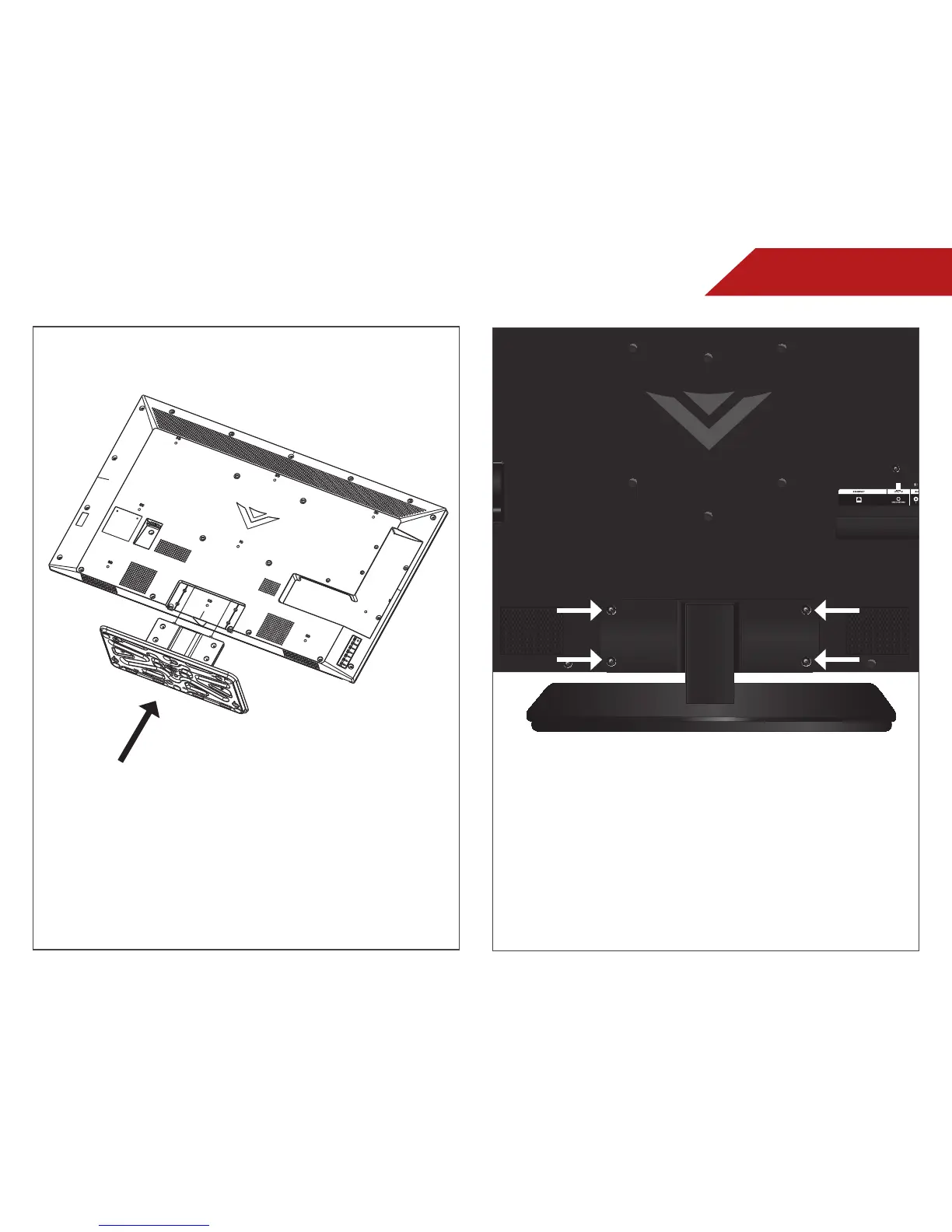
Place the TV screen-down on a clean, flat surface.
To prevent scratches or damage to the screen,
place the TV on a soft surface, such as carpet,
rug, or blanket.
Slide the assembled TV stand into the TV as
shown above.
Tighten four(4) M4 14mm phillips screws into the
TV stand as shown above.
Place the TV on a stable, level surface.
3
4
Back of TV


 To Next Page
 Loading...