3 4
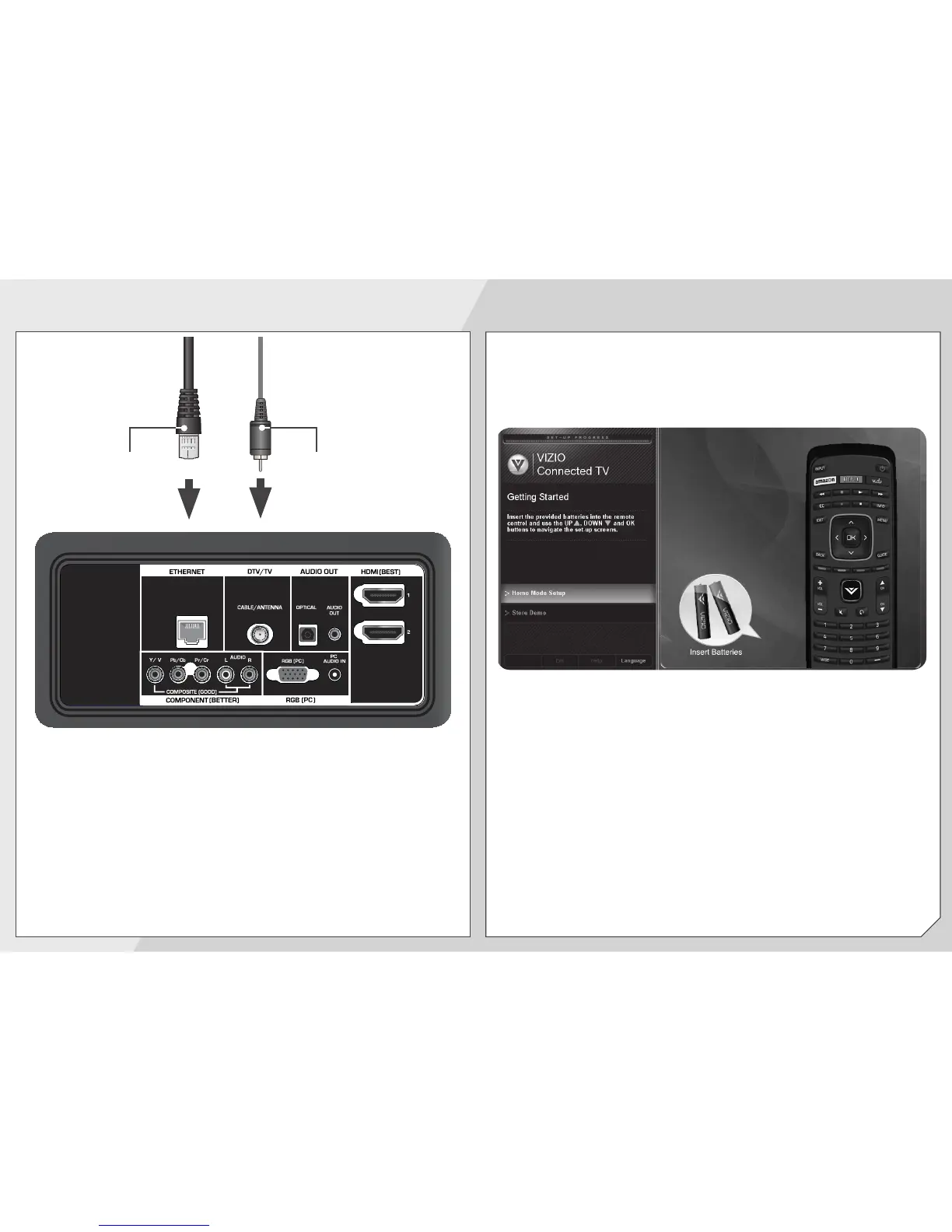
Coaxial
Cable
Ethernet
Cable
If you have an external antenna or a cable
connection that extends from a wall outlet,
connect it to the TV with an RF/Coaxial cable.
Connect an Ethernet cable from your
router or modem.
Turn the TV on by pressing the Power button on
the remote.
The Setup App is displayed.
Use the Arrow buttons on the remote to highlight
Home Mode Setup and press OK.



 To Next Page
 Loading...