English - 16
Basic SmartCast
™
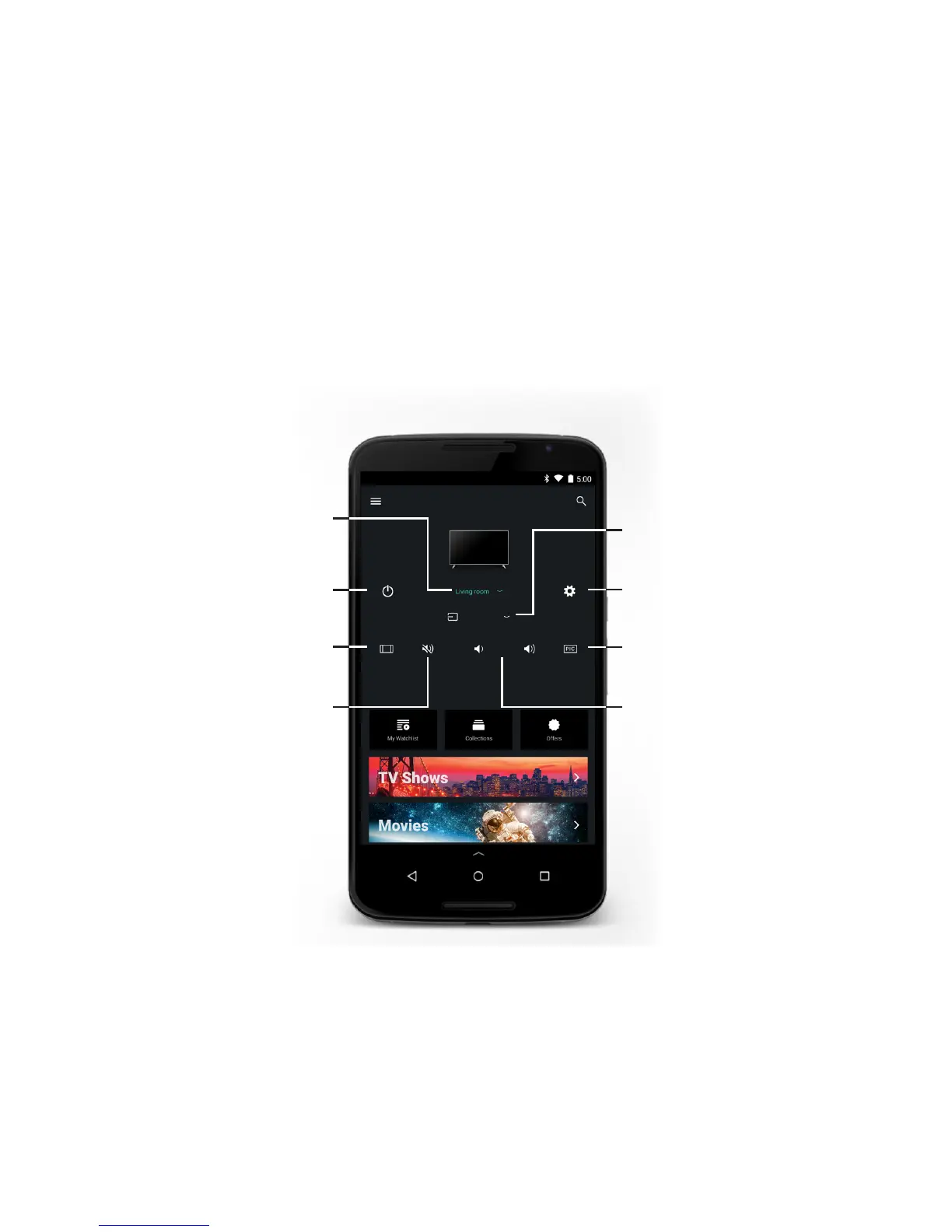
Remote Control Functions
You can turn on/o, change the input, mute, and adjust the volume of your Display right from the VIZIO SmartCast
™
App.
To access the basic functions, make sure your Display is selected.
Power
Turn Display on or o.
Wide
Cycles through the dierent aspect
ratio modes.
Mute
Turn the Display audio on or o
Volume
Increase or decrease the loudness of
the Display audio.
Input
Change the currently displayed input.
Settings
Change settings of Display.
Picture Modes
Cycles through the dierent
picture modes.
Device List
Select and control dierent
VIZIO SmartCast
™
devices
CAST


 To Next Page
 Loading...