www.VIZIOCE.com
Version- 11/29/05
41
VIZIO L32 HDTV User Manual
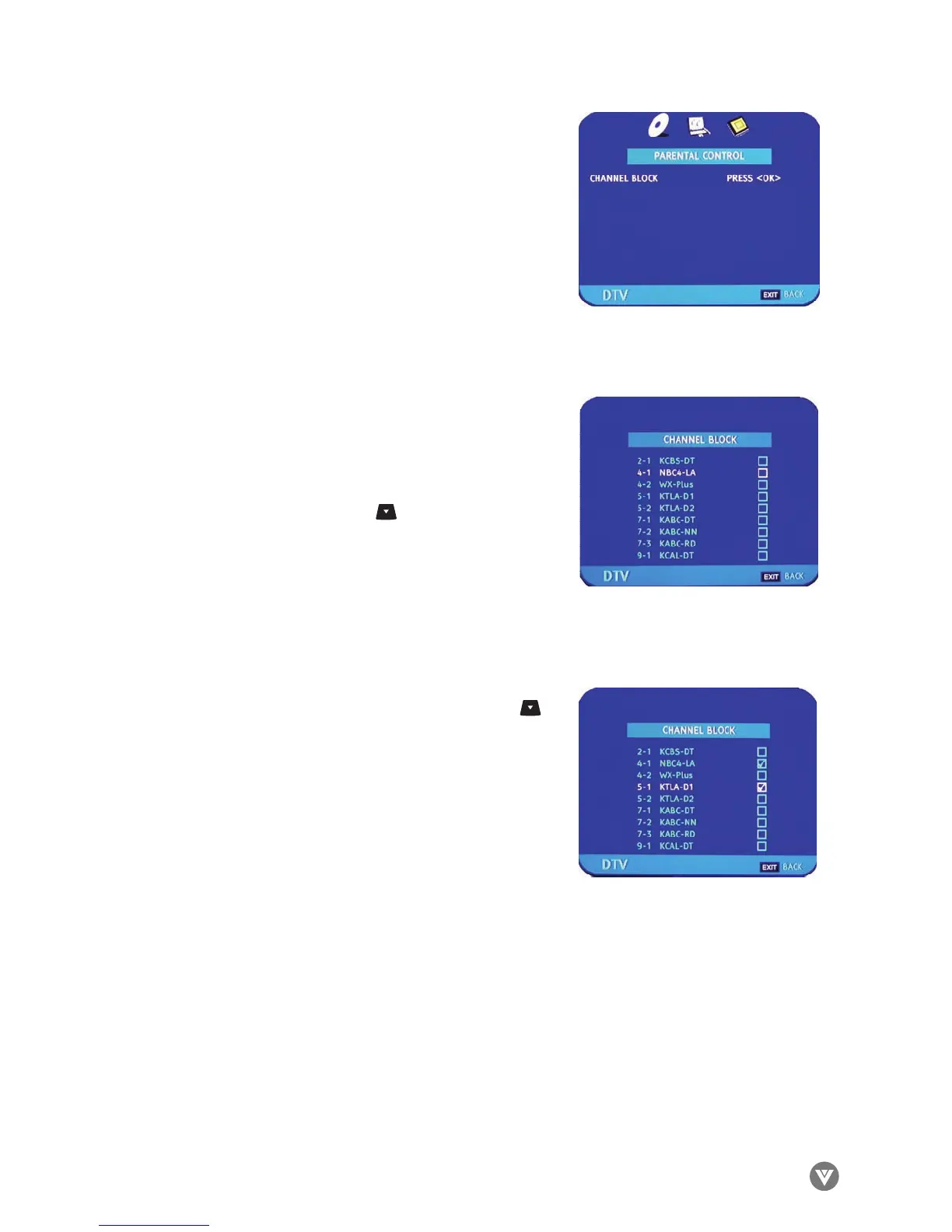
Once the correct password has been entered, the option for
blocking channels becomes available. Press OK.
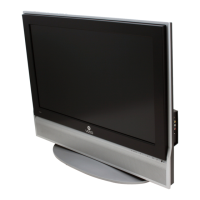
The list of channels available and stored in memory is shown
on the screen. If the list is longer than 9 channels as you
repeatedly press the DOWN arrow , you will be able to
scroll through the channels. The boxes to the right of the
channel names are empty by default.
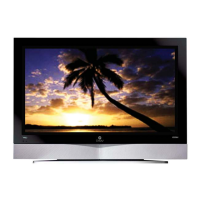
As you scroll down the channels with the DOWN arrow ,
each one is highlighted in turn. When a channel you want to
block is highlighted, press the OK button and a check mark
( ) will appear in the box. This means that when this chan-
nel is selected a password request bar will appear on the
screen and you will not be able to view the channel without
first entering the correct password. Press EXIT to navigate
away from this screen when finished.
¸


 To Next Page