EasyManua.ls Logo

Vizio L42 - User Manual

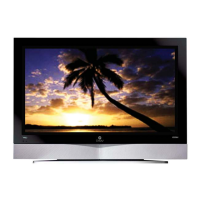
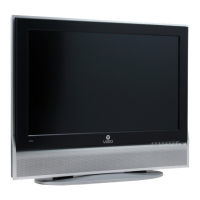
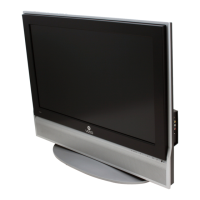
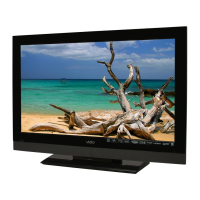
Vizio L42
75 pages
Print Icon
To Next Page IconTo Next Page
Loading...
VIZIO L42 HDTV User Manual
Version 6/26/2006 1
www.VIZIOCE.com
Dear VIZIO Customer,
Congratulations on your new VIZIO L42 High
Definition LCD Television purchase. Thank you
for your support. For maximum benefit of your set,
please read these instructions before making any
adjustments, and retain them for future reference.
We hope you will experience many years of
enjoyment from your new VIZIO L42 High
Definition Television.
For assistance, please call 714-668-0588 or e-
mail us at
techsupport@vinc.com.
To purchase or inquire about accessories and
installation services for your VIZIO LCD HDTV,
please visit our website at
www.vizioce.com or
call toll free at 888-VIZIOCE (888-849-4623).
We recommend you register your VIZIO L42
HDTV either at our website
www.vizioce.com or
fill in your registration card and mail it in. For
peace of mind and to protect your investment
beyond the standard warranty, VIZIO offers on-
site extended warranty service plans. These
plans give additional coverage during the
standard warranty period. Visit our website or call
us to purchase a plan.
Write down the serial number located on the back
of your L42.
A
S L __ __ __ __ __ __ __ __ __ __ __
Purchase Date _____________________
VIZIO is a registered trademark of V, Inc.
TruSurround XT, SRS and symbol are trademarks of SRS Labs, Inc.
TruSurround XT technology is incorporated under license from SRS Labs, Inc.
HDMI logo and “High Definition Multimedia Interface” are registered trademarks of HDMI Licensing LLC.
"DCDi by Faroudja" is a registered trademark of Genesis Microchip Inc.

Table of Contents

Questions and Answers

  • S
    Shane RobertsAug 20, 2025
    What to do if my Vizio L42 HDTV has no power?
    • C
      Carl WebbAug 20, 2025
      First, ensure the power button is ON, indicated by a Green LED. Next, verify the AC power cord is securely connected to the AC socket. To confirm the outlet is functioning correctly, plug another electrical device into it to check for proper voltage.
  • C
    Catherine TrevinoAug 22, 2025
    Why is there no sound on my Vizio HDTV?
    • K
      Keith RichAug 22, 2025
      If there is no sound on your Vizio HDTV, try these steps: * Check your audio connections. * Ensure the mute option is off by pressing the MUTE button on the remote. * Check your audio settings to ensure your TV audio is not set to SAP, min, or speakers off. * Increase the volume using the Volume + button on your remote. * Make sure headphones are not connected.
  • G
    ggonzalezAug 25, 2025
    What to do if the Vizio L42 HDTV remote control does not work?
    • C
      Courtney KimAug 25, 2025
      If your Vizio HDTV remote control isn't working, make sure the batteries are inserted correctly and are not weak. Also, ensure you have selected TV on the remote.
  • R
    Rachael RandallAug 26, 2025
    What to do if my Vizio L42 HDTV screen is black?
    • W
      wheelermadelineAug 26, 2025
      Check your input connections to make sure that they are working correctly.
  • L
    Laura PowersAug 28, 2025
    Why is there a distorted picture or unusual sound on my Vizio HDTV?
    • J
      Julie JordanAug 28, 2025
      Distorted pictures or unusual sounds can be caused by interference from electrical appliances, cars, motorcycles, or fluorescent lights. If your TV isn't wall-mounted, try moving it to another location to see if that resolves the issue.
  • U
    umoraAug 29, 2025
    What to do if power is ON but there is no screen image on my Vizio L42?
    • G
      Gregory OlsonAug 29, 2025
      If your Vizio HDTV has power but no screen image, ensure the video cable is correctly connected to the video output port on your VCR and the TV. Verify that any cable connected to your Set-Top Box, DVD, etc., is securely attached to the correct output. Also, adjust the brightness and contrast settings and check the Source settings.
  • J
    Joseph HubbardAug 31, 2025
    Why can't I see a picture on my Vizio HDTV?
    • C
      craigfloresSep 1, 2025
      If you cannot see a picture on your Vizio HDTV, ensure the power cord is plugged into a grounded electrical outlet and that the power button is turned on. Also, verify the selected input source is connected to a working input source. If connected to a computer in RGB or HDMI mode, press any key on your keyboard to wake the computer.
  • E
    eriosSep 2, 2025
    Why is the display image not covering the entire screen on my Vizio L42 HDTV?
    • D
      Douglas MooreSep 2, 2025
      If the display image doesn't cover the entire screen on your Vizio HDTV, and you're using RGB mode, ensure that H Size and V Position in the On Screen Display (OSD) are set correctly. If you're using TV, AV1, AV2, or Component with 480i input, use the WIDE button on the remote to scroll through the various screen modes.
  • R
    rachelmendozaSep 4, 2025
    Why does the picture on my Vizio HDTV have abnormal patterns?
    • T
      tyler53Sep 4, 2025
      If the picture on your Vizio HDTV has abnormal patterns, make sure the input source cable is securely and correctly attached to the back of your TV. Also, ensure the video input source is within the range of your TV.
  • S
    Shawn BishopSep 6, 2025
    Why can I see a picture but cannot hear sound on my Vizio HDTV?
    • D
      Debra ColemanSep 6, 2025
      If you can see a picture but cannot hear sound on your Vizio HDTV, ensure that the volume is not turned down and that the sound is not muted. Also, make sure your audio input source cables are connected securely and correctly.

Summary

Basic Controls and Connections

VIZIO Universal Remote Control

Explains the operation, features, and button functions of the universal remote.

Connecting Equipment

Connecting Video Sources

Steps for connecting DVD players, set-top boxes, VCRs, and video cameras.

Setting Up to Watch Television

Basic LCD HDTV Start Up

Guide for initial power-on, connecting cables, and selecting the first input source.

Advanced Adjustment of HDTV

DTV;TV Picture Adjustments

Detailed steps for adjusting picture settings like mode, brightness, contrast, and color.

Maintenance and Troubleshooting

Troubleshooting Guide

Provides solutions for common problems and performance issues with the TV.

Vizio L42 Specifications

General IconGeneral
Screen Size42 inches
Display TechnologyLCD
Refresh Rate60 Hz
Response Time8 ms
Resolution1920 x 1080 (1080p)
Brightness500 cd/m² (Typical)
Viewing Angle178°
InputsHDMI, Component, Composite, VGA, RF

Related product manuals