VlZlOVASERIESUserManual
Chapter I Setting Up Your HDTV
• Read this user manual carefully before installing your HDTV.
• The power consumption of your HDTV is 25W (M190VA), 28W (M220VA and 44W (M260VA) average.
When an extension cord is required, use one with the correct power rating. The cord must be
grounded and the grounding feature must not be compromised.
• Install your HDTV on a flat surface to avoid tipping.
• For proper ventilation, you must allow a 1" space between the back of your HDTV and the wall.
• Avoid installing your HDTV in places with high humidity, dust, or smoke so you do not shorten the
service life of the electronic components.
• Install your HDTV in a level, landscape orientation, with the VIZIO logo at the bottom to prevent
poor ventilation and excessive component damage.
• If you want to mount your HDTV on the wall, see below for additional information.
• Read this user manual carefully before installing your HDTV.
VlZlO offers professional installation. Contact VlZlO for more information on these services at 877-
MYVlZIO (877-698-4946) or www.VIZIO.com.
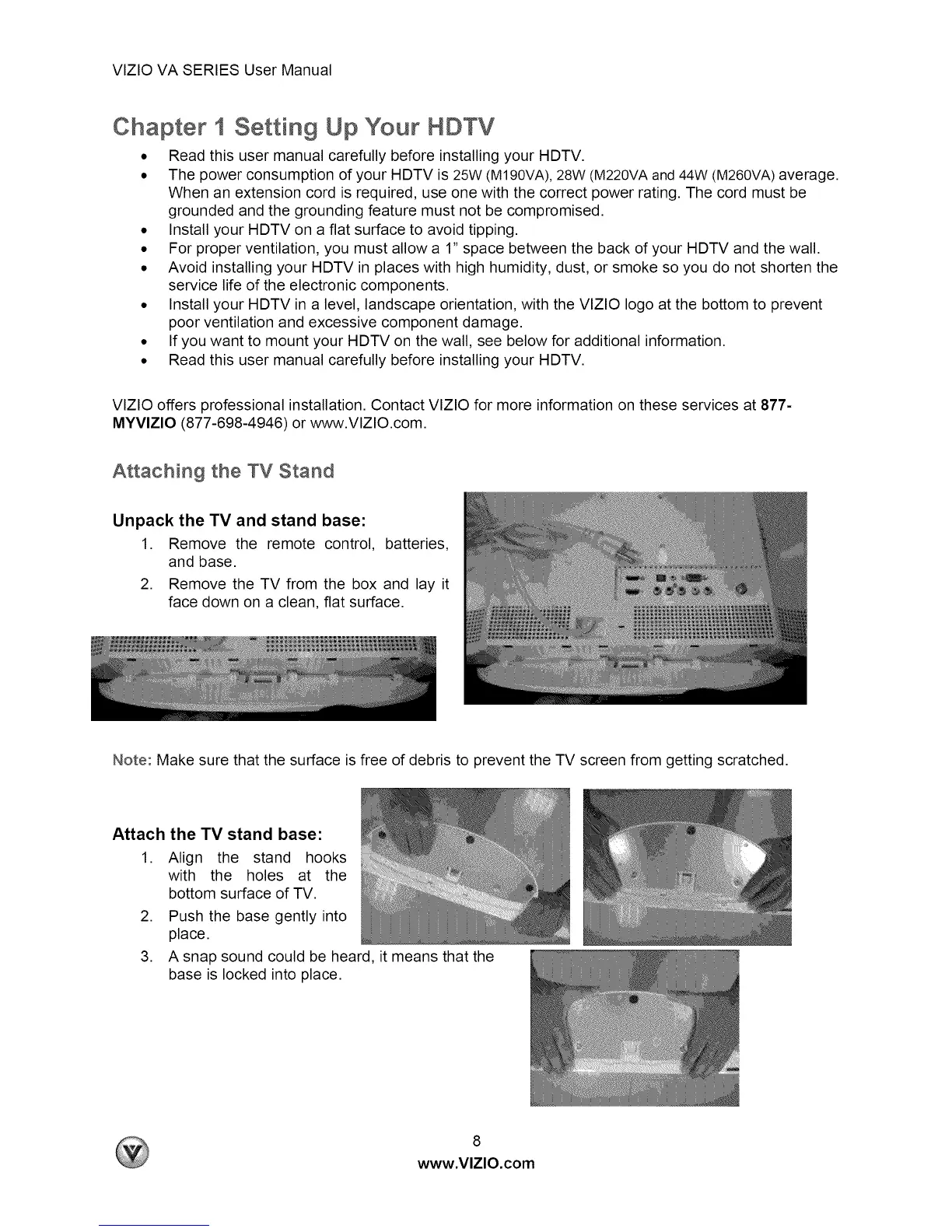
Attaching the TV Stand
Unpack the TV and stand base:
1. Remove the remote control, batteries,
and base.
2. Remove the TV from the box and lay it
face down on a clean, flat surface.
Note: Make sure that the surface is free of debris to prevent the TV screen from getting scratched.
Attach
1.
the TV stand base:
Align the stand hooks
with the holes at the
bottom surface of TV.
2. Push the base gently into
place.
3. A snap sound could be heard, it means that the
base is locked into place.
8
www.VlZlO.com


 To Next Page