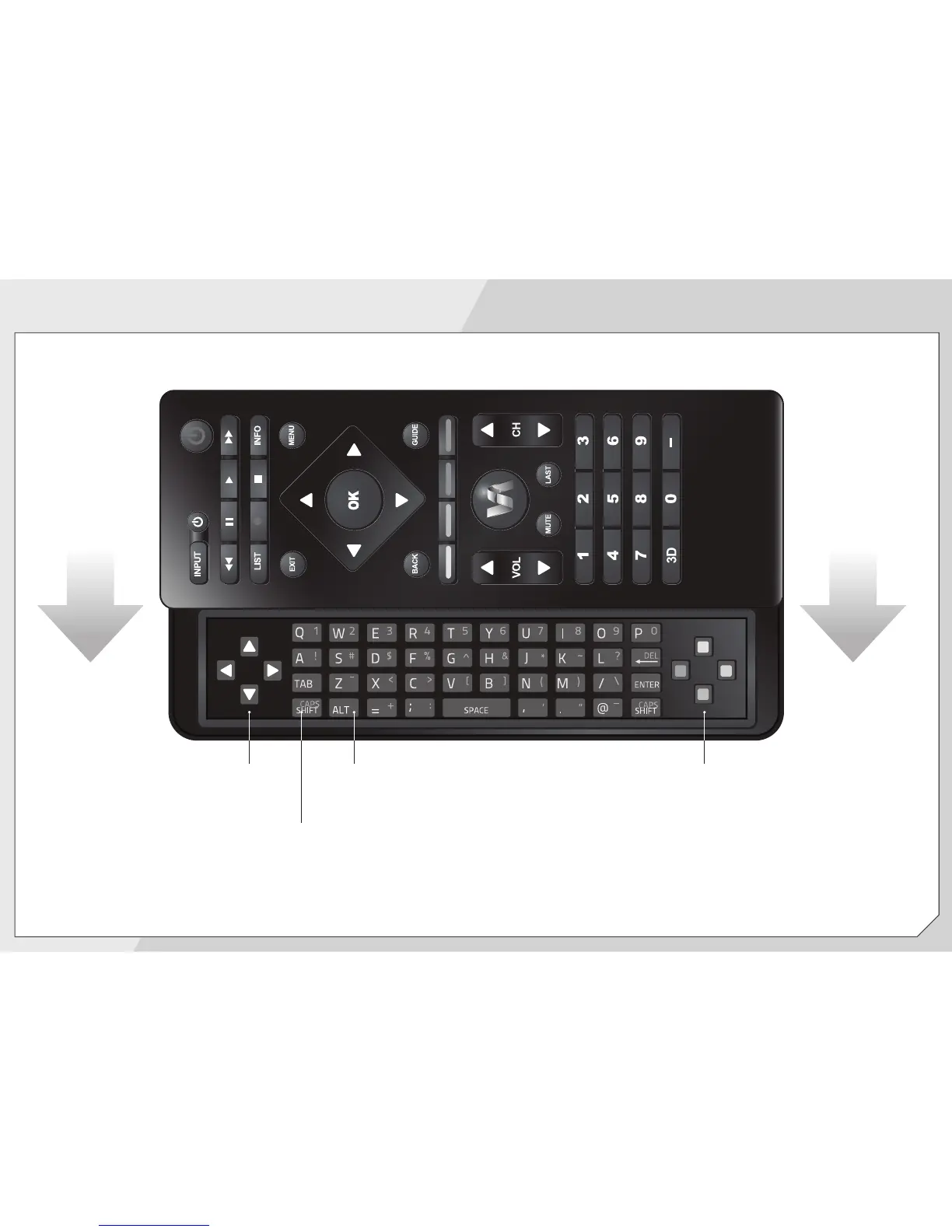
SLIDE OUT REMOTE
ARROW
Navigate the on-screen menu.
SHIFT
Press and hold while pressing
another key to enter a capital letter.
V.I.A. SHORTCUT BUTTONS
Control VIZIO Internet Apps
ALT
Press and hold while pressing another key to
enter a blue character. For example, press
ALT and S to enter a # character.


 To Next Page
 Loading...