2
15
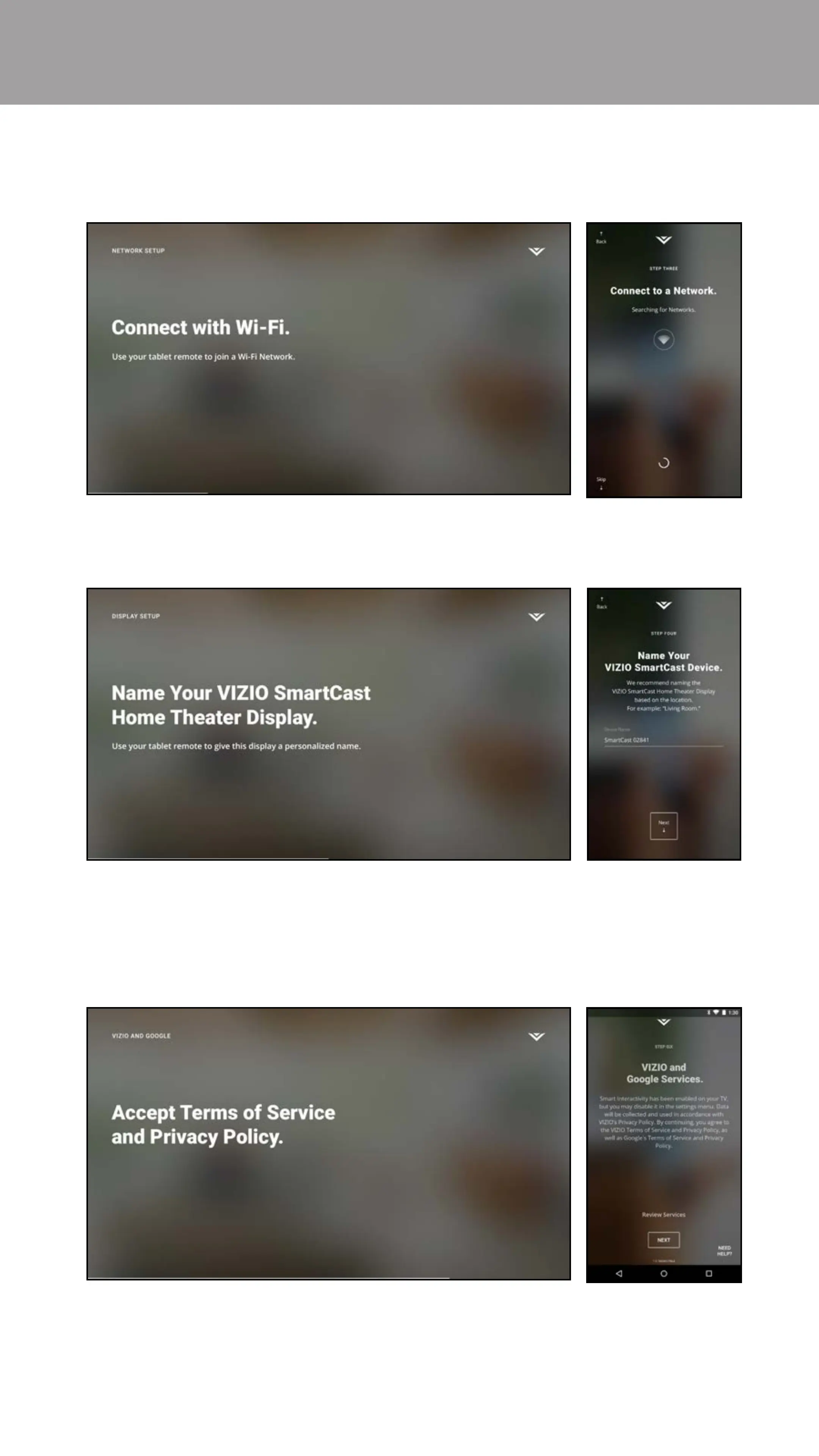
4. The tablet begins to search for a wireless network to connect to. Select
your wireless network from the list and enter your password.
5. Use the tablet to name your M-Series Display.
6. Take a moment to read the VIZIO Terms of Service and Privacy Policy, as
well as Google’s Terms of Service and Privacy Policy. When you are done,
tap NEXT to continue.


 To Next Page