3
50
Note: The images shown here are for illustrative purposes only and may be subject to change. The actual on-screen image and text may vary, depending on the model.
ADJUSTING AUDIO SETTINGS
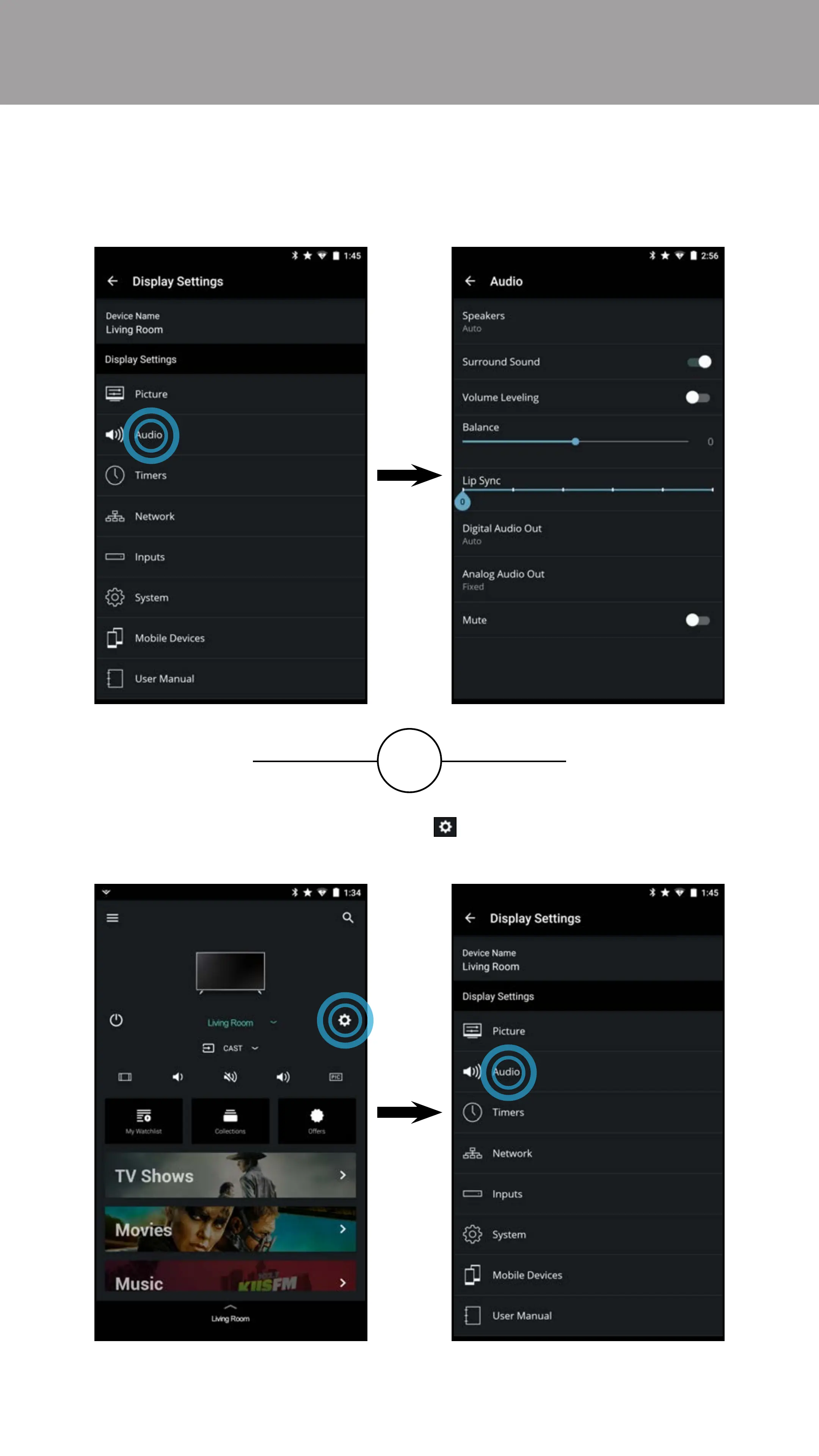
To access the Audio settings menu:
• From the Display Settings menu, tap on Audio. The Audio menu
is displayed.
OR
• From the Device Menu, tap on the button. The Display Settings
menu is displayed. Then tap on Audio to access the Audio menu.



 To Next Page