3
52
Note: The images shown here are for illustrative purposes only and may be subject to change. The actual on-screen image and text may vary, depending on the model.
ADJUSTING TIMER SETTINGS
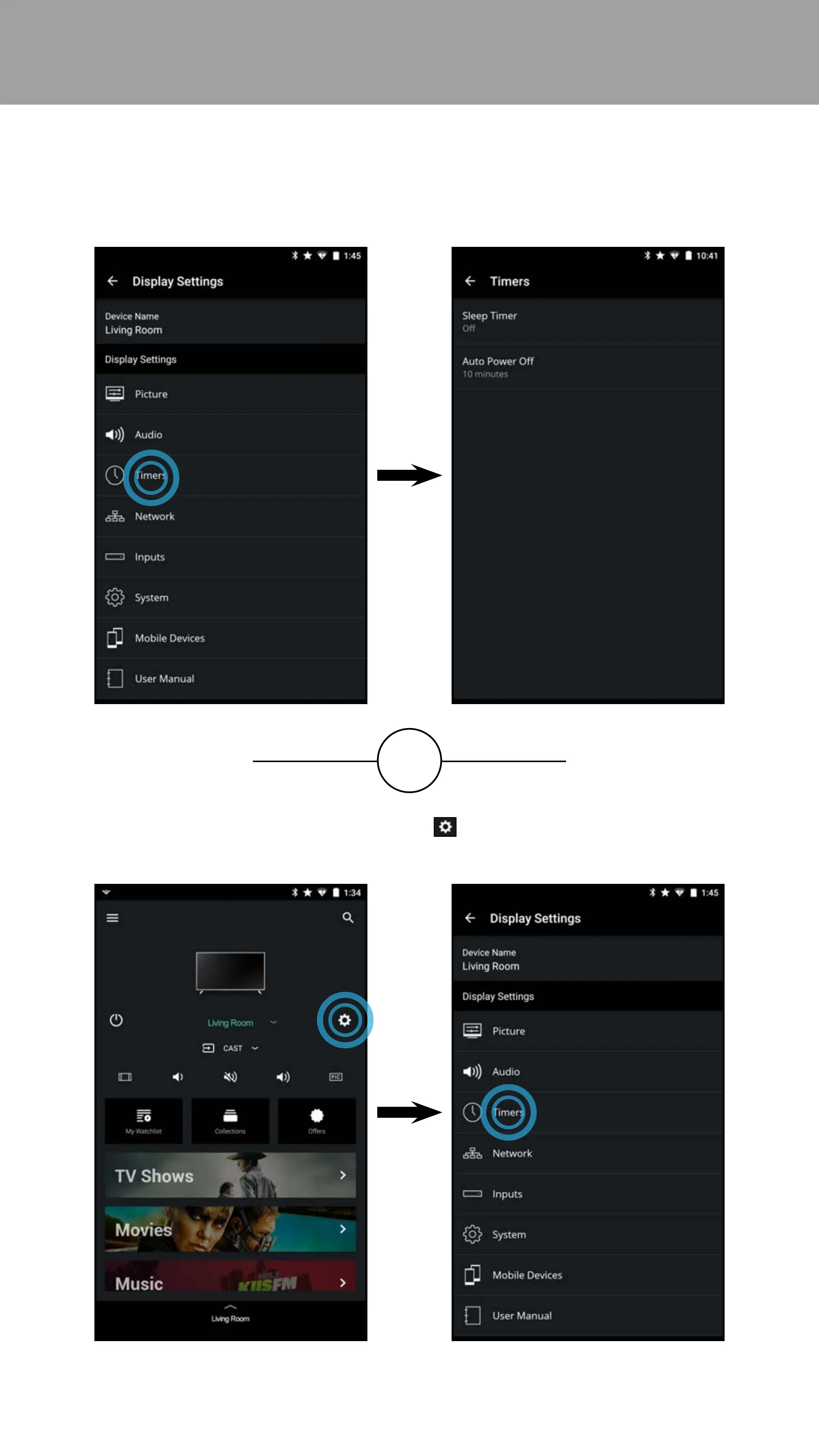
To access the Timers settings menu:
• From the Display Settings menu, tap on Timers. The Timers menu
is displayed.
OR
• From the Device Menu, tap on the button. The Display Settings
menu is displayed. Then tap on Timers to access the Timers menu.



 To Next Page