EasyManua.ls Logo

Vizio P42 - User Manual

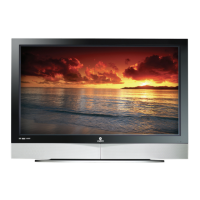
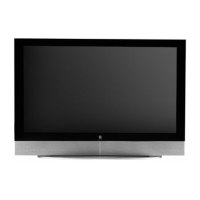
Vizio P42
72 pages
Print Icon
To Next Page IconTo Next Page
Loading...
VIZIO P42 HDTV User Manual
Version 1/18/2006 1
www.VIZIOCE.com
Dear VIZIO Customer,
Congratulations on your new VIZIO P42 High
Definition Plasma Television purchase. Thank
you for your support. For maximum benefit of
your set, please read these instructions before
making any adjustments, and retain them for
future reference. We hope you will experience
many years of enjoyment from your new VIZIO
P42 High Definition Television.
For assistance, please call 714-668-0588 or e-
mail us at
techsupport@vinc.com.
To purchase or inquire about accessories and
installation services for your VIZIO Plasma TV,
please visit our website at
www.vizioce.com or
call toll free at 888-VIZIOCE (888-849-4623).
We recommend you register your VIZIO P42
HDTV either at our website
www.vizioce.com or
fill in your registration card and mail it in. For
peace of mind and to protect your investment
beyond the standard warranty, VIZIO offers on-
site extended warranty service plans. These
plans give additional coverage during the
standard warranty period. Visit our website or call
us to purchase a plan.
Write down the serial number located on the back
of your P42.
A
H P __ __ __ __ __ __ __ __ __ __ __
Purchase Date _____________________


Table of Contents

Other manuals for Vizio P42

Questions and Answers

  • M
    mcooperSep 23, 2025
    Why does my Vizio HDTV have dark or colored pixels?
    • O
      Olivia LeeSep 23, 2025
      Your Vizio Plasma TV is manufactured with high precision technology; however, some pixels may not display correctly. Pixel defects within industry specifications are inherent and do not mean the product is defective.
  • D
    dgriffinAug 23, 2025
    How to improve the picture quality on my Vizio P42?
    • D
      Dr. Keith RoweAug 25, 2025
      If the image color or quality on your Vizio Plasma TV looks poor, check your video settings. Adjust the brightness, contrast, color, and other settings to improve the picture quality.
  • B
    Benjamin BurkeAug 25, 2025
    How to adjust screen size on Vizio P42?
    • E
      erin94Aug 26, 2025
      If the screen position or size on your Vizio Plasma TV appears incorrect, make sure that the screen position and size settings are properly adjusted.
  • C
    Chase HamiltonAug 27, 2025
    Why is the color wrong on my Vizio P42?
    • T
      Teresa BushAug 27, 2025
      If the image or color on your Vizio Plasma TV is incorrect, verify that the signal cable is properly connected. If you're connected to a PC, try changing the PC's resolution to achieve the correct image display.
  • E
    Ellen ChambersAug 27, 2025
    How to fix no sound on Vizio HDTV?
    • C
      Craig MyersAug 27, 2025
      If you're not getting any sound from your Vizio HDTV, try these steps: Check your audio connections, ensure the mute function is off by pressing the MUTE button on the remote, verify your audio settings aren't set to SAP or minimum, increase the volume using the Volume + button, and make sure headphones are not connected.
  • R
    Regina PerezSep 16, 2025
    What causes distorted picture on Vizio HDTV?
    • K
      Kevin GordonSep 16, 2025
      If you see a distorted picture or hear unusual sound on your Vizio HDTV, it may be due to interference from electrical appliances, cars, motorcycles, or fluorescent lights. If your TV is not wall-mounted, try moving it to another location to see if this resolves the issue.
  • A
    Ariel TorresSep 13, 2025
    Why is the power light flashing on my Vizio P42 Plasma TV?
    • T
      Todd LoweSep 13, 2025
      If the power indicator on your Vizio Plasma TV is flashing, ensure that the input signal cables are securely attached. Also, check if the display is in Power Save mode and disable it if necessary.
  • E
    erin05Sep 15, 2025
    What to do if my Vizio HDTV has no power?
    • P
      padilladominicSep 15, 2025
      If your Vizio HDTV has no power, ensure the power button is ON (Green LED). Verify the AC power cord is securely connected to the AC socket. To confirm the outlet is working, plug another electrical device into it to check if it supplies the proper voltage.
  • R
    Rebekah MendozaSep 5, 2025
    What to do if my Vizio P42 says no input signal?
    • M
      Michelle DanielSep 6, 2025
      If your Vizio Plasma TV shows a 'No Input Signal' message, first ensure the signal cable is correctly connected. Then, verify that the connected devices are powered on. Finally, confirm that the selected input option on your TV matches the actual input signal being used.
  • J
    jmcintyreSep 3, 2025
    How do I adjust the screen size on my Vizio HDTV?
    • M
      Michael YatesSep 3, 2025
      If the display image on your Vizio HDTV doesn't cover the entire screen, and you are using RGB mode, make sure the H Size and V Position in the On Screen Display (OSD) are set correctly. If you are using TV, AV1, AV2, AV3 or Component with 480i input, use the WIDE button on the remote control to scroll through various screen modes.

Summary

Installation and Connections

Installation Preparation

Precautions and steps before installing the TV.

Preparing for Wall Mounting

Step-by-step guide to remove the TV stand for wall mounting.

Rear Panel Connections Overview

Identification and description of all rear panel input/output ports.

Choosing Video Connection Types

Guide to selecting the best video connection type for various sources.

Connecting Video and Audio Sources

Instructions for connecting DVD players, set-top boxes, VCRs, and PCs.

Controls and Remote Operation

VIZIO Universal Remote Control Guide

Explanation of remote control buttons and their functions.

Setting Up to Watch TV

Vizio P42 Specifications

General IconGeneral
Screen Size42 inches
Display TypePlasma
Resolution1024 x 768
Aspect Ratio16:9
HDMI Ports2
Viewing Angle178 degrees
Speakers2 x 10W
Refresh Rate600 Hz
InputsHDMI, Component, Composite, RF

Related product manuals