EasyManua.ls Logo

Vizio P42 - User Manual

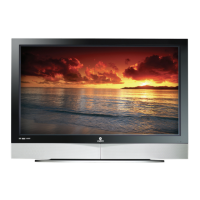
Vizio P42
72 pages
Print Icon
To Next Page IconTo Next Page
Loading...
VIZIO P42 HDTV User Manual
Version 1/18/2006 1
www.VIZIOCE.com
Dear VIZIO Customer,
Congratulations on your new VIZIO P42 High
Definition Plasma Television purchase. Thank
you for your support. For maximum benefit of
your set, please read these instructions before
making any adjustments, and retain them for
future reference. We hope you will experience
many years of enjoyment from your new VIZIO
P42 High Definition Television.
For assistance, please call 714-668-0588 or e-
mail us at
techsupport@vinc.com.
To purchase or inquire about accessories and
installation services for your VIZIO Plasma TV,
please visit our website at
www.vizioce.com or
call toll free at 888-VIZIOCE (888-849-4623).
We recommend you register your VIZIO P42
HDTV either at our website
www.vizioce.com or
fill in your registration card and mail it in. For
peace of mind and to protect your investment
beyond the standard warranty, VIZIO offers on-
site extended warranty service plans. These
plans give additional coverage during the
standard warranty period. Visit our website or call
us to purchase a plan.
Write down the serial number located on the back
of your P42.
A
H P __ __ __ __ __ __ __ __ __ __ __
Purchase Date _____________________

Table of Contents

Other manuals for Vizio P42

Questions and Answers

  • D
    Duane AdamsSep 8, 2025
    What to do if my Vizio P42 has sound but no picture?
    • B
      Brian NunezSep 8, 2025
      If your Vizio Plasma TV has audio but no video signal, try turning the main power switch off for 5 seconds, and then back on. After that, turn the TV on again using either the remote control or the power button located on the front of the TV.
  • J
    James ScottSep 7, 2025
    Why is my Vizio P42 remote not working?
    • S
      Stephanie SmithSep 7, 2025
      If your Vizio Plasma TV's remote control isn't working, ensure the batteries are correctly inserted with the right polarity. If that doesn't work, try replacing the batteries with new ones. Make sure you're within the remote's operating range and pointing it directly at the remote control window on the TV, without any obstructions in the way.
  • K
    Kimberly WilliamsAug 22, 2025
    Why is my Vizio HDTV remote control not working?
    • T
      Timothy HarrisonAug 22, 2025
      If the remote control for your Vizio HDTV isn't working, first ensure that the batteries are correctly inserted. Also, check if the batteries are weak and replace them if needed. Finally, make sure you have selected 'TV' on the remote.
  • A
    Allison HamiltonSep 4, 2025
    Why do I see noise on my Vizio HDTV screen?
    • N
      Nancy CharlesSep 4, 2025
      When your Vizio Plasma TV's digital capabilities exceed a digital broadcast signal, the signal is up-converted (increased) to match your TV’s display capabilities, which can cause noise or trash on the screen.
  • J
    jmcintyreSep 3, 2025
    How do I adjust the screen size on my Vizio HDTV?
    • M
      Michael YatesSep 3, 2025
      If the display image on your Vizio HDTV doesn't cover the entire screen, and you are using RGB mode, make sure the H Size and V Position in the On Screen Display (OSD) are set correctly. If you are using TV, AV1, AV2, AV3 or Component with 480i input, use the WIDE button on the remote control to scroll through various screen modes.
  • A
    Ashley LynchSep 1, 2025
    How to fix abnormal patterns on Vizio HDTV screen?
    • P
      Patricia BrownSep 2, 2025
      If the picture on your Vizio HDTV has abnormal patterns, make sure the input source cable is securely and correctly attached to the back of your TV. Also, ensure that the video input source is within the range of your TV by comparing the video input source’s specifications with your TV specifications.
  • B
    Benjamin TerryAug 31, 2025
    Why can I see a picture but not hear sound on my Vizio HDTV?
    • A
      Ashley FosterAug 31, 2025
      If you can see a picture but cannot hear sound on your Vizio HDTV, ensure that the volume is not turned down and that the sound is not muted. Also, make sure your audio input source cables are connected securely and correctly.
  • B
    Barbara PatelAug 30, 2025
    How to troubleshoot no picture on Vizio HDTV?
    • M
      Michael HillAug 30, 2025
      If you cannot see a picture on your Vizio HDTV, make sure the power cord is plugged into a grounded electrical outlet and that the power button is turned on. Also, ensure the selected input source is connected to a working input source. If your TV is connected to your computer in RGB or HDMI mode, press any key on your keyboard to wake your computer.
  • W
    william31Aug 28, 2025
    Why is my Vizio HDTV on but there is no screen image?
    • C
      cantuaprilAug 28, 2025
      If your Vizio HDTV has power but no screen image, ensure the video cable is securely connected to the correct video output port on both your VCR and TV. Also, check that any cable connected to your Set-Top Box, DVD, etc., is securely connected to the correct output. Adjust the brightness and contrast settings, and verify the source settings.
  • E
    Ellen ChambersAug 27, 2025
    How to fix no sound on Vizio HDTV?
    • C
      Craig MyersAug 27, 2025
      If you're not getting any sound from your Vizio HDTV, try these steps: Check your audio connections, ensure the mute function is off by pressing the MUTE button on the remote, verify your audio settings aren't set to SAP or minimum, increase the volume using the Volume + button, and make sure headphones are not connected.

Summary

Installation and Connections

Installation Preparation

Precautions and steps before installing the TV.

Preparing for Wall Mounting

Step-by-step guide to remove the TV stand for wall mounting.

Rear Panel Connections Overview

Identification and description of all rear panel input/output ports.

Choosing Video Connection Types

Guide to selecting the best video connection type for various sources.

Connecting Video and Audio Sources

Instructions for connecting DVD players, set-top boxes, VCRs, and PCs.

Controls and Remote Operation

VIZIO Universal Remote Control Guide

Explanation of remote control buttons and their functions.

Setting Up to Watch TV

Vizio P42 Specifications

General IconGeneral
Screen Size42 inches
Display TypePlasma
Resolution1024 x 768
Aspect Ratio16:9
HDMI Ports2
Viewing Angle178 degrees
Speakers2 x 10W
Refresh Rate600 Hz
InputsHDMI, Component, Composite, RF

Related product manuals