Need help?
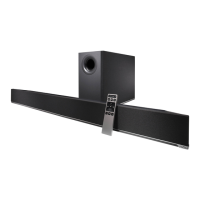
Do you have a question about the Vizio S4221w-C4 and is the answer not in the manual?
Enables pairing with Bluetooth devices. LED indicators flash during search.
Troubleshoot issues related to the unit not turning on or receiving power.
Troubleshoot problems where no audio is output from the soundbar.
Diagnose and fix issues where the subwoofer produces no sound.
 General
| RMS Power | 110 watts |
|---|---|
| Outputs | none |
| USB Ports | 1 |
| Bluetooth | yes |
| Wireless Subwoofer Connectivity | yes |
| Optical Audio Inputs | 1 |
| Remote Control | yes |
 Weight and Dimensions
| Depth | 3.74 inches |
|---|---|
| Width | 3.25 inches |
| Net Weight | 8.4 pounds |

 To Next Page