EasyManua.ls Logo

Vizio SB2021n-J6 - User Manual

Vizio SB2021n-J6
36 pages
Print Icon
To Next Page IconTo Next Page
Loading...
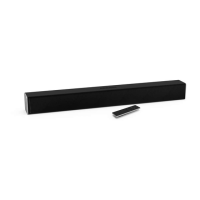
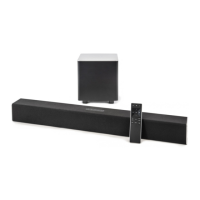
2.1 Sound Bar
User Manual
Model: SB2021n-J6
Please read this guide before using the product.

Questions and Answers

  • A
    Ann JosephAug 6, 2025
    How to turn on Vizio SB2021n-J6 Speaker System if there is no power?
    • E
      Erin RiceAug 6, 2025
      If your Vizio Speaker System isn't powering on, start by pressing the POWER button on the remote or on the sound bar itself. Ensure the power cord is securely connected. To verify the outlet is working, plug a different device into it.
  • A
    April HinesAug 15, 2025
    Why is there no sound on my Vizio SB2021n-J6 Speaker System?
    • A
      andrewvazquezAug 15, 2025
      If there's no sound from your Vizio Speaker System, first, increase the volume and make sure the sound bar isn't muted. Check the input source selected on the sound bar. You may also need to set your TV output to PCM or connect directly to your Blu-ray player, as some TVs don't pass through digital audio. Also, ensure your source is set to output PCM and that the audio output setting is set to FIXED or STANDARD, not VARIABLE. Finally, confirm the volume on your source device is turned up and that it is not muted.
  • M
    Matthew KingAug 25, 2025
    What to do if my Vizio Speaker System is buzzing?
    • S
      Scott JonesAug 26, 2025
      If you hear buzzing or humming from your Vizio Speaker System, ensure all cables and wires are securely connected. Try connecting a different source device like a TV or Blu-ray player to see if the buzzing persists. You can also try connecting your device to a different input on the sound bar.

Summary

Important Safety Instructions

Package Contents

Sound Bar Controls and Connections: Back Panel

Sound Bar Back Panel Connections

Details audio input ports like USB, AUX, Optical, and Coaxial on the sound bar.

Sound Bar Controls and Connections: Top Panel

Sound Bar Top Panel Controls

Explains Power, Input, Bluetooth, and Volume controls on the top panel.

Sound Bar Controls and Connections: Subwoofer

Subwoofer Back Panel Controls

Details the Pairing Button, LED Indicator, Power Port, and Switch on the subwoofer.

First-time Setup: Connecting to TV

Connecting to TV with Audio Cables

Guides connecting the sound bar to the TV using Digital Optical, RCA, or Digital Coaxial cables.

First-time Setup: Sound Bar Power

Connecting Sound Bar Power

Explains connecting the power cable to the sound bar and plugging it into an outlet.

First-time Setup: Subwoofer Power

Connecting and Powering the Subwoofer

Guides on connecting the subwoofer's power cable and turning it on.

First-time Setup: Remote and Auto Detection

Remote Setup and Auto Input Detection

Covers battery insertion for the remote and the sound bar's auto-detect function.

Using the Remote Control

Proper Placement Guidelines

Mode and Level Settings: Input;Pairing Behavior

Input and Bluetooth Pairing LED Behavior

Explains LED colors for inputs and Bluetooth pairing status.

Mode and Level Settings: Audio Levels

Audio Level Adjustments and Mute Function

Details controlling treble, bass, subwoofer levels, and the mute function.

Using Button Combinations

Factory Reset and TV Remote Control Function

Explains factory reset and enabling VIZIO TV remote control integration.

Eco Power Mode and Speaker Test Function

Details Eco Power Mode and the speaker test function for diagnostics.

Programming the Sound Bar

Bluetooth Pairing Procedure

Using Bluetooth Mode

Connecting to a Voice Assistant: Overview

Voice Assistant Features and Setup Tips

Covers VA features, benefits, and setup advice for optimal use.

Connecting to a Voice Assistant: Connection Methods

Connecting Voice Assistant via AUX Port

Details connecting a Voice Assistant device using the 3.5mm AUX port.

Connecting Voice Assistant via Bluetooth

Details connecting a Voice Assistant device using Bluetooth pairing.

Advanced Setup Options

Connecting the Subwoofer

Product Registration and Support

Help & Troubleshooting

Troubleshooting No Power or No Sound Issues

Provides solutions for common power and sound output issues.

Troubleshooting Remote and Audio Artifacts

Offers fixes for buzzing, humming, and remote control problems.

Limited Warranty Information

Warranty Service and User Obligations

Outlines obtaining service and user responsibilities before service.

VIZIOs Responsibilities and Service Types

Details VIZIO's warranty obligations and the types of service provided.

Limited Warranty Details

Warranty Exclusions and Limitations

Lists items and conditions not covered by the warranty.

Binding Arbitration and Class Action Waiver Terms

Explains arbitration and class action waiver terms for US residents.

Limited Warranty Specifics

Opt-Out Instructions for Arbitration Agreement

Instructions for opting out of the binding arbitration agreement.

Warranty Exclusions and Limitations Summary

Covers implied warranties, damages, and repair/replacement policies.

Legal & Compliance Information

FCC Radio Interference and RF Exposure Statements

Details FCC regulations on radio interference and RF exposure.

Battery Disposal and Software License Agreements

Covers battery disposal, recycling, and software license agreements.

Product Specifications

Vizio SB2021n-J6 Specifications

General IconGeneral
BrandVizio
ModelSB2021n-J6
Product TypeSound Bar
Channels2.1
Total Power Output80W
BluetoothYes
Dimensions (W x H x D)36 x 2.2 x 3.4 inches
Weight3.75 lbs
HDMI ARCNo
Total Harmonic Distortion< 1%
Frequency Response70Hz - 19kHz
InputsOptical, AUX
ConnectivityBluetooth

Related product manuals