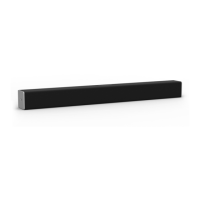
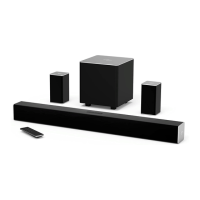
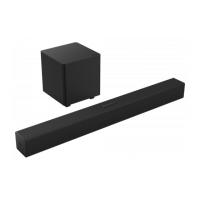
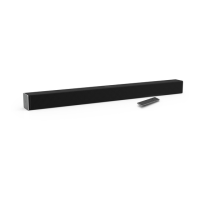
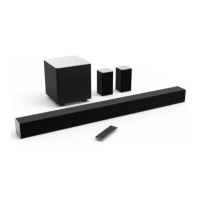
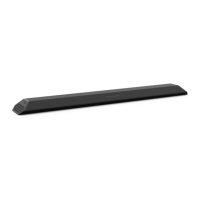
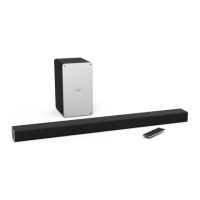
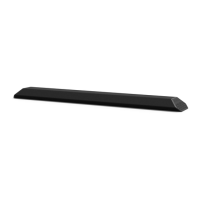
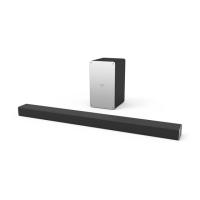
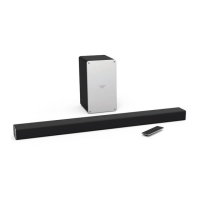
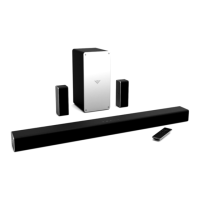
The VIZIO SB3241n-H6 is a 4.1 Sound Bar system designed to enhance your audio experience with surround sound capabilities. This system includes a sound bar, a wireless subwoofer, and two surround speakers, providing a comprehensive audio setup for home entertainment.
Function Description:
The VIZIO SB3241n-H6 functions as a central audio hub for your home entertainment system. It connects to your TV and other audio sources to deliver immersive sound. The sound bar processes audio signals, while the wireless subwoofer provides deep bass, and the surround speakers create a true surround sound experience. It supports various audio inputs, including HDMI ARC, Digital Optical, AUX, AUX VA, and USB, offering flexibility in connecting different devices. The system also features Bluetooth connectivity for wireless audio streaming from compatible devices. Advanced audio settings, such as equalizer modes, bass, treble, and dialogue level adjustments, allow users to customize their listening experience. It also includes features like Virtual:X for virtual overhead sound, TruVolume for consistent volume levels, and Night Mode for reduced bass frequencies, making it suitable for various listening environments. The sound bar can also be programmed to accept TV remote IR commands for volume control and mute functions.
Important Technical Specifications:
- Sound Bar: One 1.77" x 3.70" (45 x 94 mm) Full Range Driver for each channel (1 for left, 1 for right).
- Subwoofer: One 5.25" (133.35mm) Driver.
- Surround Speakers: One 1.77" x 3.70" (45 x 94 mm) Full Range Driver for each channel (1 for left, 1 for right).
- Connections:
- One 3.5mm Stereo Audio
- One Optical (Toslink)
- HDMI (ARC)
- One 3.5mm AUX Voice Assistant
- Bluetooth
- One USB (Supports .WAV and .MP3 format only)
- Sound Pressure Level (System): 96 dB (measured using pink noise at 1 meter, c-weighted).
- Frequency Response (System): 50 Hz - 16 KHz.
- Voltage: 100-240Vac, 50/60Hz.
- Compliances: cTUVus/FCC Class B/CEC.
Usage Features:
- First-time Setup: The manual provides clear instructions for connecting the sound bar to a TV using the best possible cable type (HDMI ARC, Digital Optical, or 3.5mm to RCA). It also details how to connect the power cables for the sound bar and subwoofer, and how to link the surround speakers to the subwoofer using color-coded cables.
- Remote Control: A comprehensive remote control is included, featuring buttons for power, input selection, Bluetooth pairing, volume adjustment, EQ settings, level settings (bass, treble, dialogue, subwoofer), effect settings (Surround Sound, Virtual:X, TruVolume, Night Mode), and setup settings (Info, Auto VA, Eco Power Mode, Input Search, Program Remote Learn, Power LED, AV Delay, Reset Audio/All, Speaker Test, VIZIO TV Remotes). The remote's LCD display shows current settings, and LED indicators on the sound bar provide visual feedback.
- Bluetooth Pairing: The sound bar can be easily paired with Bluetooth devices by holding the Bluetooth button on the sound bar or remote for three seconds. It supports music streaming from devices within a 30-foot range.
- Voice Assistant Integration: The sound bar can connect to a Voice Assistant (VA) device via an AUX VA port or Bluetooth. It acts as the VA speaker, offering a dedicated input for VA, auto-muting of other audio sources when VA is active, and the ability to adjust VA volume.
- Advanced Setup: The sound bar can connect to various devices like tablets, MP3 players, laptops, media players, and game consoles using HDMI, Digital Optical, USB, or 3.5mm to RCA cables.
- HDMI ARC Connectivity: For simplified setup, the sound bar supports HDMI ARC, allowing audio to be sent from the TV to the sound bar using a single HDMI cable. This also enables control of the sound bar volume using the TV remote if System Audio Control is enabled in the TV's CEC menu.
- Subwoofer Pairing: The wireless subwoofer is pre-paired with the sound bar. If re-linking is necessary, instructions are provided to press and hold the ON/OFF button on the subwoofer and the Power button on the sound bar.
- Wall-mounting: The system includes wall-mount brackets and screws for the sound bar and surround speakers, along with a wall mount template for easy installation. Users are advised to choose appropriate screws for their wall construction and consult a professional installer if needed.
- Button Combinations: Specific button combinations on the sound bar allow for advanced functions like Factory Reset, enabling/disabling VIZIO TV Remote control, and enabling/disabling Eco Power Mode.
- Programming the Sound Bar: The sound bar can be programmed to accept IR commands from a TV remote for volume up, volume down, and mute functions.
Maintenance Features:
- Cleaning: The sound bar should be cleaned only with a dry cloth. Liquid or spray cleaners and abrasive cleaners should not be used.
- Power Cord Protection: The power cord should be protected from being walked on or pinched, especially at plugs and convenience receptacles.
- Ventilation: Ventilation openings on the back and bottom of the cabinet should not be blocked or covered to prevent overheating.
- Battery Replacement: The remote control uses two AAA alkaline batteries. VIZIO recommends replacing them with new Duracell batteries when needed.
- Troubleshooting: The manual includes a troubleshooting section for common issues such as no power, no sound, buzzing/humming, and remote control not working, offering solutions like checking connections, adjusting settings, and replacing batteries.
- Eco Power Mode: This feature allows the sound bar to go into standby after a period of inactivity, automatically turning off when no audio signal is detected, contributing to energy saving.

 Need help?
 General

 To Next Page