1
1
Controls and Connections
Before the rst-time setup, take a few moments to familiarize yourself with the
various controls and connections. This will make the setup process much faster
and your experience with the player much more enjoyable!
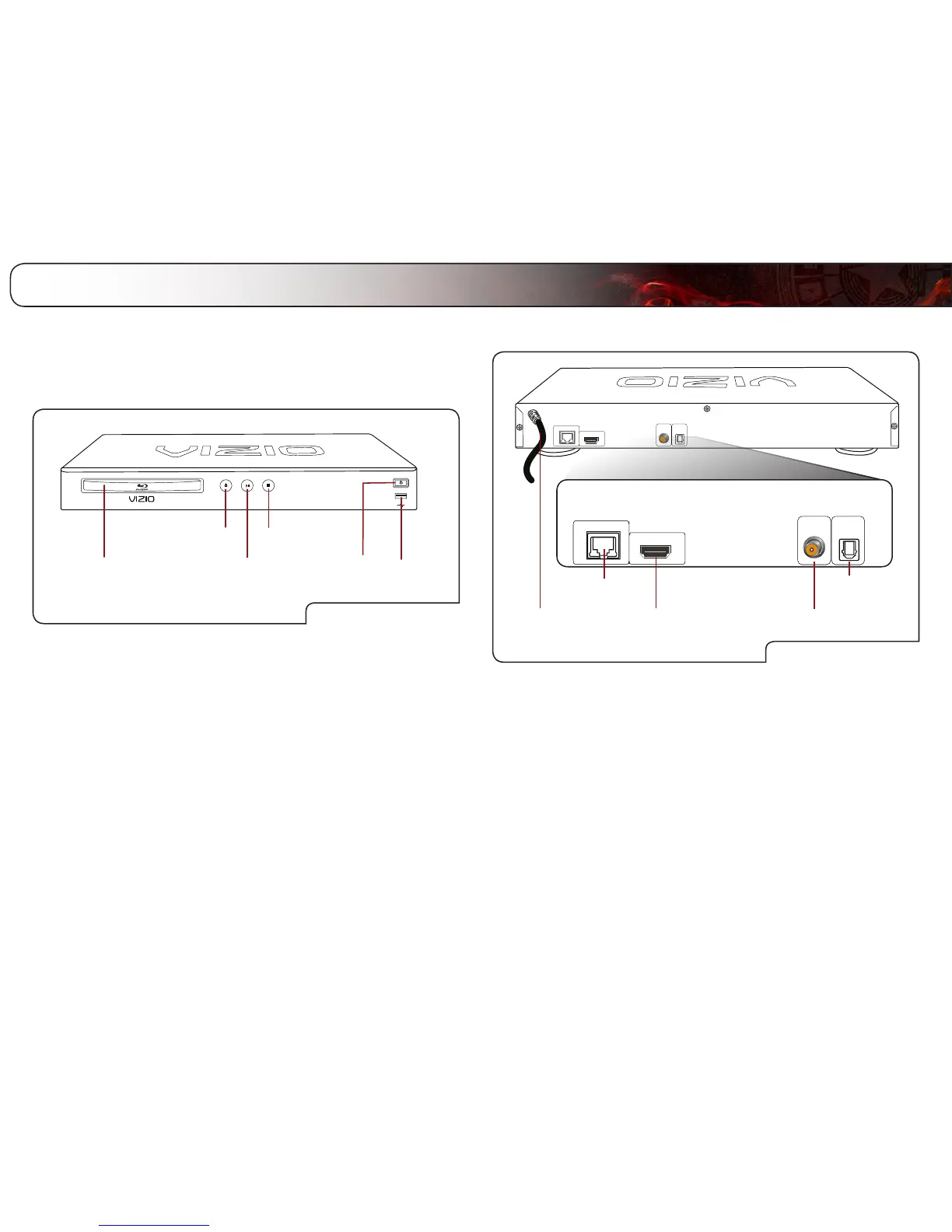
Front Panel
USB
Front Panel
Power
Eject
Disc Drawer
Play/Pause
Stop
Disc Drawer: Insert the disc here to play.
Eject: Press to open or close the disc drawer.
Play/Pause: Press to play or pause disc.
Stop: Press to stop disc playback.
Power/Standby: Touch to turn the player on/off.
USB: Connect USB thumb drive to play music or
photos.
Rear Panel
HDMI Coaxial Audio Out
Ethernet Optical Digital
Audio Out
Power
Cord
Rear Panel
Power Cord: Connect to an electrical outlet.
Ethernet: Connect to your router or modem with an
ethernet cable.
HDMI: Connect to your TV or home audio system with
an HDMI cable.
Optical Digital
Audio Out:
Connect to a home audio system with an optical
(SPDIF) cable.
Coaxial Audio Out: Connect to a home audio system with a coaxial
(RCA) cable.



 To Next Page