!
!
!
8.1 SMS: *callin*
Enables the Master controller to call the device to start listening within
30mins after the SMS is sent.
!
!
8.2 SMS: *callback*
The device will call the master controller enabling the Maser Controller to
listen when the call is accepted.
!
9. Website Tracking
!
Tracking Website: www.miitown.com
!
Account Login ID: Registered Master phone number. It's the same number as
5.2.
!
Account Login Password: Default as 123456.
It can be changed on the tracking website.
!
Recommended Web browser are Chrome, Firefox or cellphone default
browser.
!
!
!
9.1 Real-time Tracking
!
This function delivers a highly granular tracking record of a specific route.
Once motion is detected, very 10 second locate records are uploaded every 1
minute to the server during motion.
!
This function is suitable for speed moving object tracking. And it works in
motion only.
!
!
9.1.1 By button
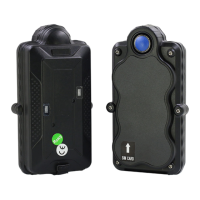
Press and hold On button at the back of the device for 3 seconds to turn on
routetrack function, LED flashes 5 times indicates routetrack function is on.
!
!
9.1.2 By SMS
SMS: *routetrack*1-99* (1-98 represents hours of accumulated data, 99
means always on)
!
Device Response: “Notice: System has entered routetrack function for *XX*
hours.” If you sent 99 the device responds: “Notice: Routetrack function is


 To Next Page