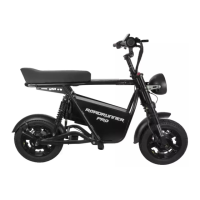
How to Charge
Once your scooter is assembled, start charging.
1. Plug the charging adapter into a power supply, preferably a grounded electrical
socket. When powered, the indicator light on the adapter will glow green.
2. Locate the charging port on the right side of the battery (near the rear right spring
suspension).
a. Note: You can keep the battery mounted in the scooter or remove it for
charging.
3. Open the charging port cover. Firmly press the plug into the port.
4. When the adapter is connected, the indicator light on the adapter will glow red.
5. When the device has reached full charge, the indicator light will glow green.
6. Remove the adapter upon full charge.*
7. Replace the charging port cover.
8. Unplug the adapter from the power supply.
9. Get ready to ride!
*NOTE: It is very important to properly charge and care for the battery in your scooter as it is the
most volatile component; misuse can have destructive consequences. However, the EMOVE
RoadRunner Pro battery and charging adapter have a very safe configuration and BMS, so you can
leave the scooter plugged into power even when it is fully charged without worrying.
How to Power On/Off
1. To power on the scooter, press the Power button on the top of the button console.
2. When on, the TFT display will light up and the twist throttle will respond to
movement.
3. To power off the scooter, press the Power button. The display should turn off.
NOTE: The key in the battery does NOT control power; it locks the battery in place only.
Distributed by and property of VoroMotors 6


 To Next Page
 Loading...