How to Use the VoroMotors TFT Display
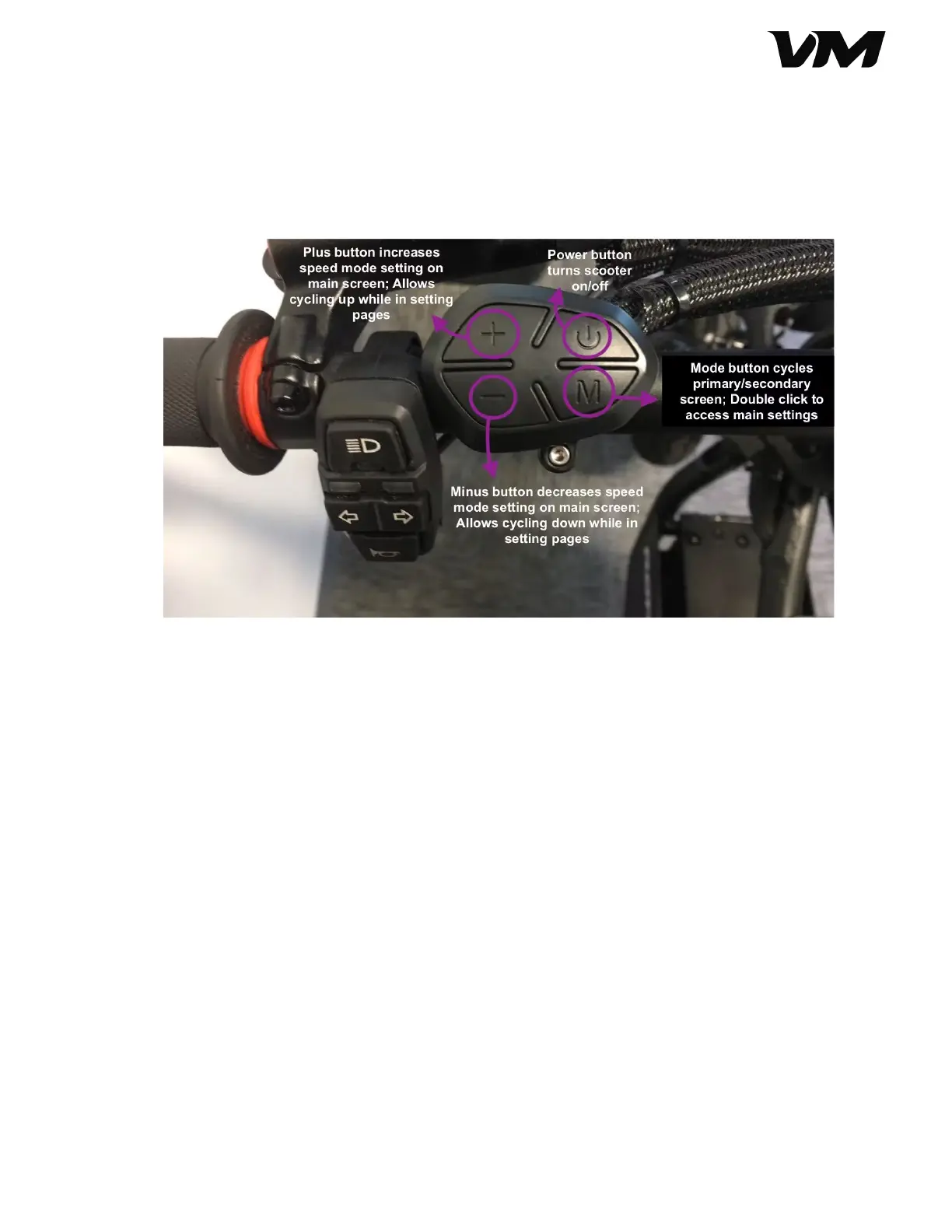
The VoroMotors TFT display is controlled by the button console on the top of the left
handlebar. This console has a mode (M) button, directional buttons (+/-) and a power
button.
1. Power on the display and the scooter by pressing the power button on the button
console. When you power on the scooter, this is what the primary display will look
like.
2. On the primary display, you can view the time, remaining battery power and
voltage, temperature for the front and rear motors, status of motors (on/off),
wattage of the motors, speedometer, and assist parameter settings or speed
settings.
Distributed by and property of VoroMotors 7


 To Next Page