i. Password (setting password protection)
j. Informations (displays information from trip)
■ Average Speed
■ Max Speed
■ Trip (record)
■ Odometer
■ Hardware version
■ Software version
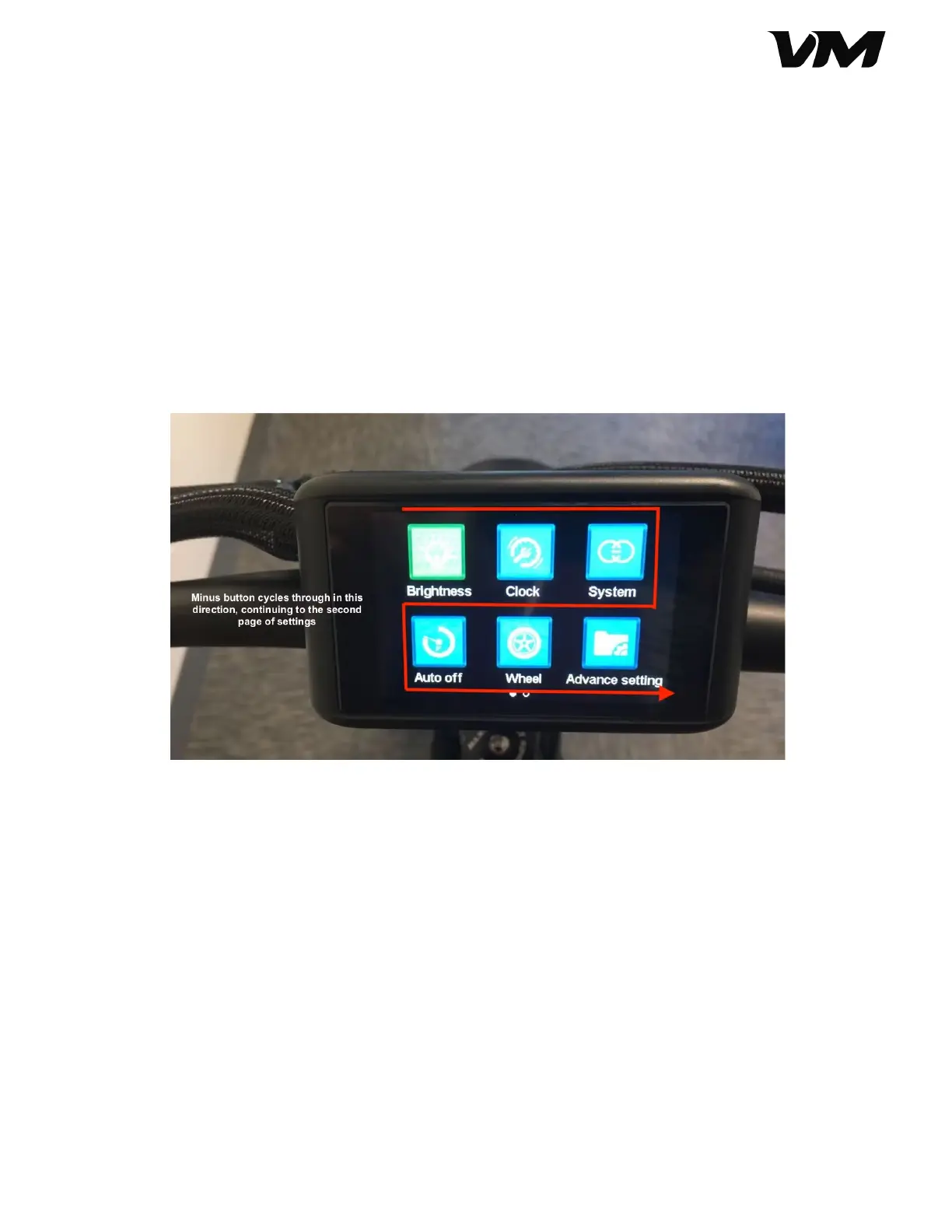
6. Update settings using the button console. Use the directional buttons to toggle
through features, and press mode to select the feature. You can tell which feature
you are on because the icon will be green (otherwise blue). You cycle through the
icons from left to right.
a. Once you have selected the feature you want to change, use the
directional buttons to increase/decrease values.
b. Press the mode button to save and exit back to the main menu.
7. From the main information screen, you can reset the trip information displayed
on the screen. To reset the Average Speed, Max Speed, and Trip details, long-press
the directional buttons (+/-) simultaneously.
8. From the main information screen, long-press the mode (M) button to switch
between single and dual motor modes. When dual motor mode is engaged, you’ll
see a red rocket icon on the display and the interface colorways will shift.
a. For single motor mode, the display will show a single color around the
speedometer
b. For dual motor mode, the display will show colored rings to indicate the
increasing speed (green: low, orange: mid, red: high).
Distributed by and property of VoroMotors 9


 To Next Page
 Loading...