Note: Tapping on the “speed” will change this part of the display to your current position displayed
in Latitude and Longitude. Tapping again will change the display to a six figure grid reference.
Tapping again will display current speed display.
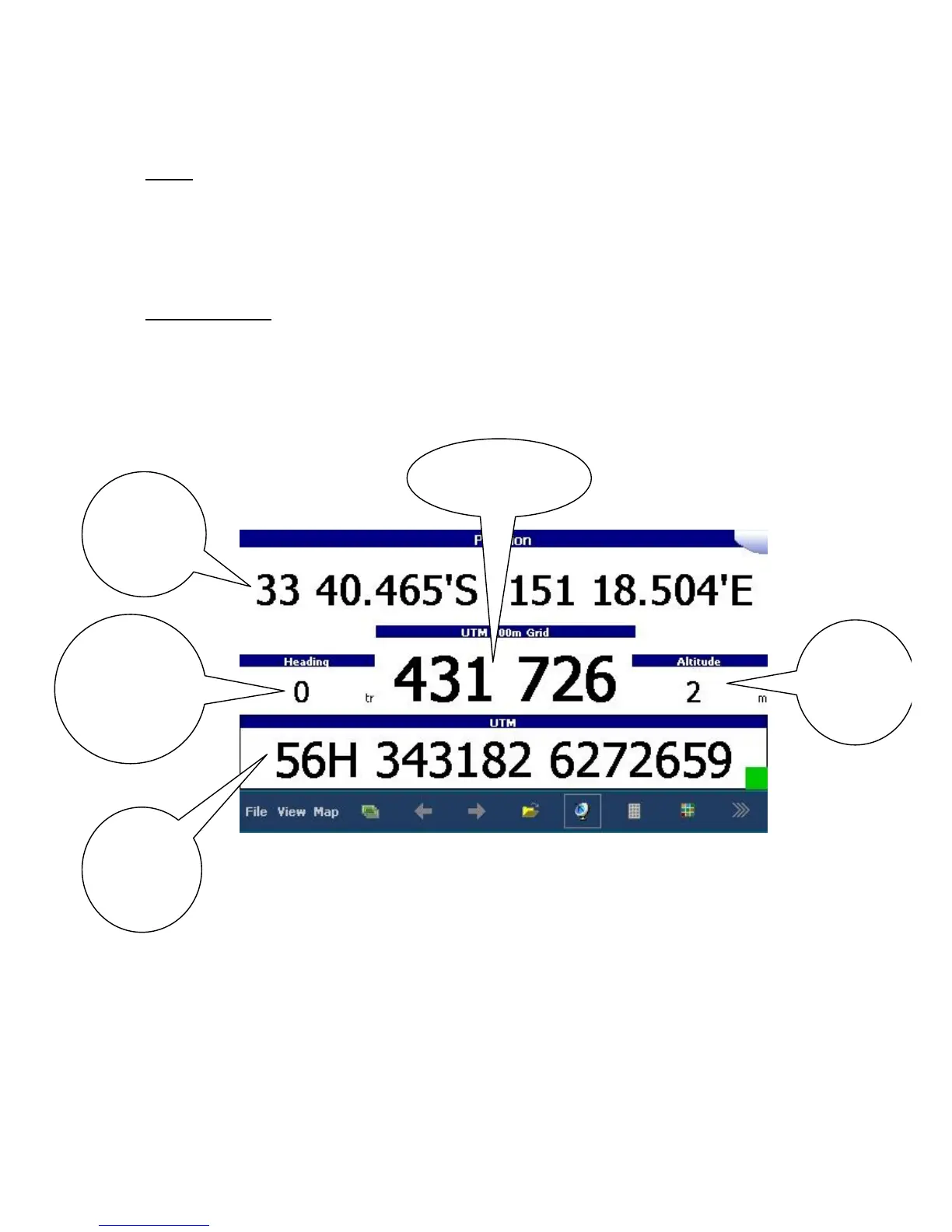
Location Page: details of your present position are provided here numerically. All positions are
shown using GDA94 datum. Formats include Latitude and Longitude (degrees, minutes and decimal
minutes), 6 digit grid references (centre) and full grid reference (bottom). In addition, heading in
degrees and altitude in metres are also displayed.



 To Next Page