Need help?
Do you have a question about the VMS 700 HD X and is the answer not in the manual?
Essential advice for X series users on screen brightness and initial charging period.
Explains the 'Location Page' display showing position numerically via Latitude/Longitude and grid references.
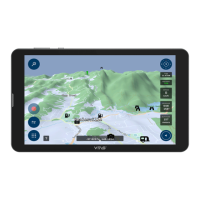
Enables creation, saving, and navigation to waypoints on a moving map.
Step-by-step guide on how to save a location as a waypoint on the GPS unit.
Instructions on how to view and verify the precise location details of a saved waypoint.
Guide on selecting a waypoint and initiating navigation to reach the destination.
Information on utilizing an observation camera with the VMS Touring unit for enhanced visibility.
Details on various fixed and quick mounting systems for installing the GPS unit.
 General
| Resolution | 800 x 480 pixels |
|---|---|
| RAM | 128MB |
| Operating System | Windows CE 6.0 |
| Display | 7-inch TFT LCD |
| Storage | 4 GB internal, expandable via microSD |
| Battery | Rechargeable lithium-ion battery |
| Connectivity | USB |


 To Next Page