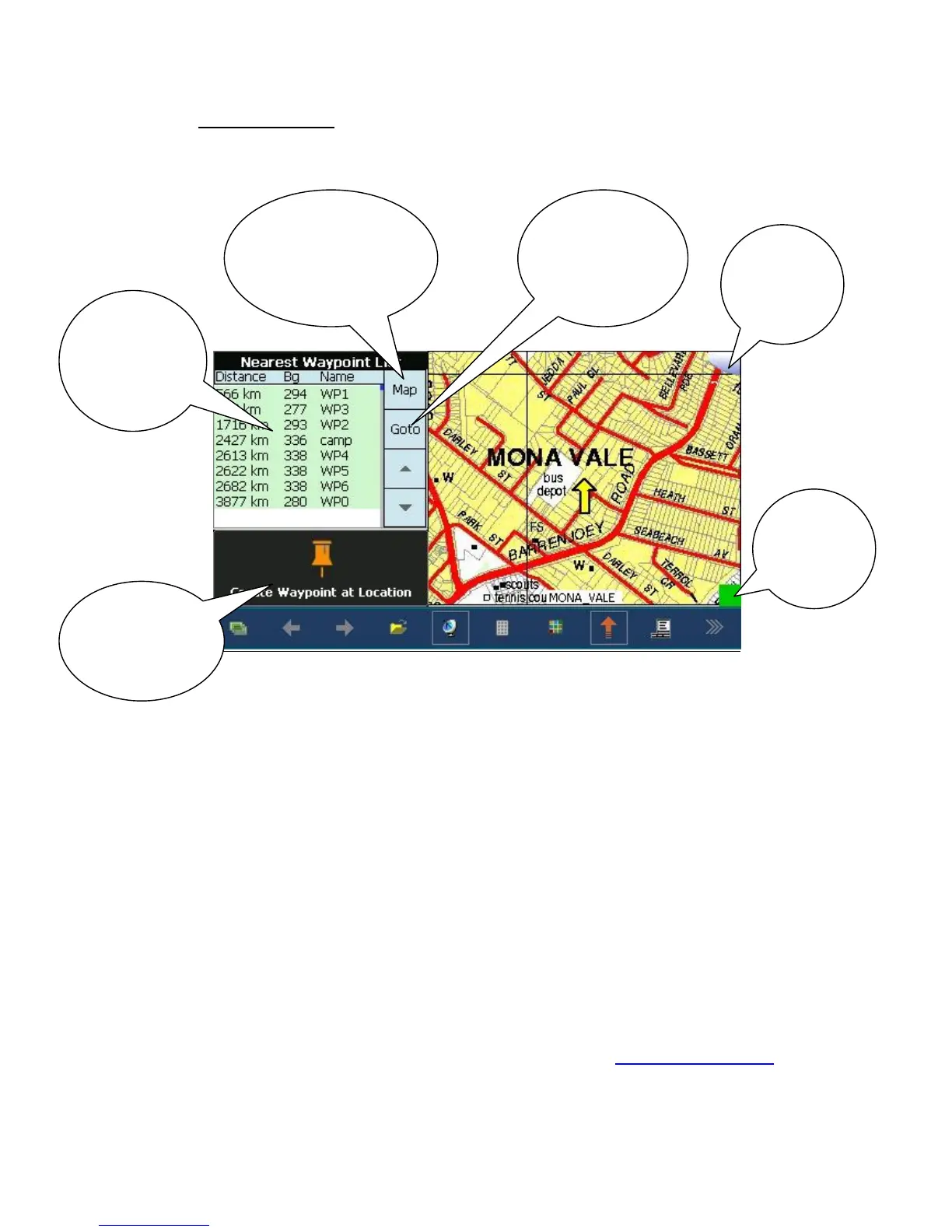
Waypoint Page: This page gives you the ability to create waypoints (save details of
important locations), get a heading to waypoint (goto) and concurrently see your location on
a moving map.
Some basic operations:
To create waypoint, tap and hold the location on the map where you would like the waypoint
created. Wait until a pop menu appears. Tap the option “Create Waypoint”. Or on the waypoint
page simply press “Create Waypoint at Location”
To create a waypoint, given a map reference, create a waypoint (see above) at any location on the
map. Tap and hold the screen on the waypoint. A small read circle will appear then a menu. Select
“Edit Wp”. A Waypoint Properties box will appear. Tap Edit Position, using the Format option,
choose Deg.Min for Lat/Long locations or UTM for grid references. Change the location values as
required. The KB button will provide an on screen keyboard for entering values.
OziExplorer has a number of additional features which can be accessed via additional menus and
options. We suggest this be left to more experienced OziExplorer users. Contact RFSA for additional
details. The complete OziExplorer users guide can be downloaded from www.gpsoz.com.au/rfsa
Swapping between on road and off road programs.


 To Next Page
 Loading...