EN
Record up to 5 name ringtone at Name Recorder >
Options > Recording Start. Playback or modifica-
tions can be made at Name Recorder > Options >
Record file list.
Once done, name ringtones can be set to contacts
at Contacts > Select contact > Options > Details >
Ringtone > Edit > Save
Name Recorder
FM Radio
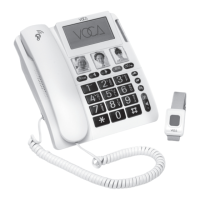
A waterproof SOS bracelet is provided with your
CP140. In an emergency, you can get help by
pressing the SOS dongle or CP140’s SOS button
for 3 secs.
FM Radio - > FM radio > Options > Play/Pause
SOS
P.12
Enable SOS at > SOS > Mode. SOS num-
bers means CP140 will dial out up to 5 numbers
cyclicly until one number is connected and the
receiving end press “0” . While call center
means CP140 will dial out to call center number
only. Once enabled, “SOS” icon will be shown
on the LCD display.
1.


 To Next Page