Need help?
Do you have a question about the VOCA V140 and is the answer not in the manual?
Instructions for removing the battery cover, emphasizing the bottom left-hand corner.
Guide to inserting a Nano SIM card correctly into the SIM card holder.
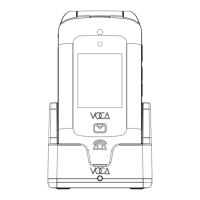
Steps for charging the phone by inserting the battery and using the charging cradle.
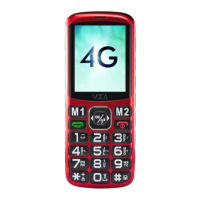
Diagram identifying key buttons like Display, Navigation Pad, Soft Keys, Dial, and Power.
Details functions of Dial Key (calls, answer) and End/Power Key (hangup, power).
Explains Left/Right Soft Keys (M1/M2) and Navigation Pad for menu, dial, and navigation.
Describes SOS key for emergencies, and Zero (0) key for torch and dialling.
Instructions for turning on the phone and navigating initial setup steps via the home screen.
Details on setting up user profiles, ringtones, and configuring speed dial numbers.
Instructions for setting up the SOS button, including contact numbers and message content.
Covers time, date, language, shortcuts, keypad vibration, and factory reset.
Explanation of icons representing battery level and signal strength.
Meaning of icons indicating SIM card status and unread messages.
Interpretation of icons for meeting mode, volume boost, alarm, memory card, and calls.
Explanation of icons for Bluetooth activation and headphone connection.
How to select input methods like predictive text, character cases, or languages using the '#' key.
Steps for using predictive text, selecting suggested words with the navigation pad.
Methods for typing characters repeatedly, spaces, special characters, and numbers.
Instructions for dialing phone numbers, including international calls with '+'.
Procedure for answering an incoming call using the dial key.
Steps to add a new contact, including saving details and selecting storage location.
Guide to adding a contact with a photo, including editing and saving details.
Steps for composing and sending messages via the Menu.
How to activate/deactivate silent mode and silence incoming calls.
Instructions on using the OK button to boost earpiece volume for better hearing.
How to enable Eye Protection Mode to change font color and lower screen brightness.
Guide to changing direction keys on the Navigation pad as shortcut keys.
Details on how the phone sends SMS alerts when battery level drops below 15%.
Instructions for listening to FM Radio, requiring headphones as an antenna.
Details on supported network bands: 2G GSM, 3G UMTS, and 4G LTE.
Information on SIM card slots, Bluetooth version, battery capacity, dimension, and weight.
Information on where to find further assistance via website or email.
 General
| Brand | VOCA |
|---|---|
| Model | V140 |
| Category | Cell Phone |
| Language | English |

 To Next Page