Factory Reset
Simultaneously press and hold the LIGHT & MIST buttons for 5 seconds until the mood light starts to
blink and then light up. The device is now in pairing mode. Follow the instructions to add this device to
your 2.4GHz Wi-Fi network and the LinkWise/Home app.
What’s in the box?
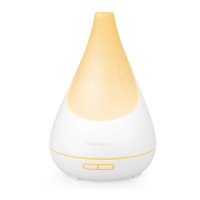
- FLOWERBUD Smart Diffuser
- AC/DC Adapter
- Measuring Cup
- Quick Start Guide
Specifications
Dimensions
Weight
Input
Output
Rated Power
Water Tank Capacity
Button Control
Wireless Network
Applicable Area
Mist Speed Level
Mood Light
Firmware update
167mm × 249mm
578g (with adaptor)
AC 100-240V 50/60Hz
DC 24V 0.6A
15W Max
300ML
LIGHT & MIST
Wi-Fi 2.4GHz 802.11 b/g/n
Best up to 400 sq.ft.
2 - speed adjustable (physical)
5 - speed adjustable (LinkWise app)
RGB Rainbow Spectrum
OTA (LinkWise app)


 To Next Page