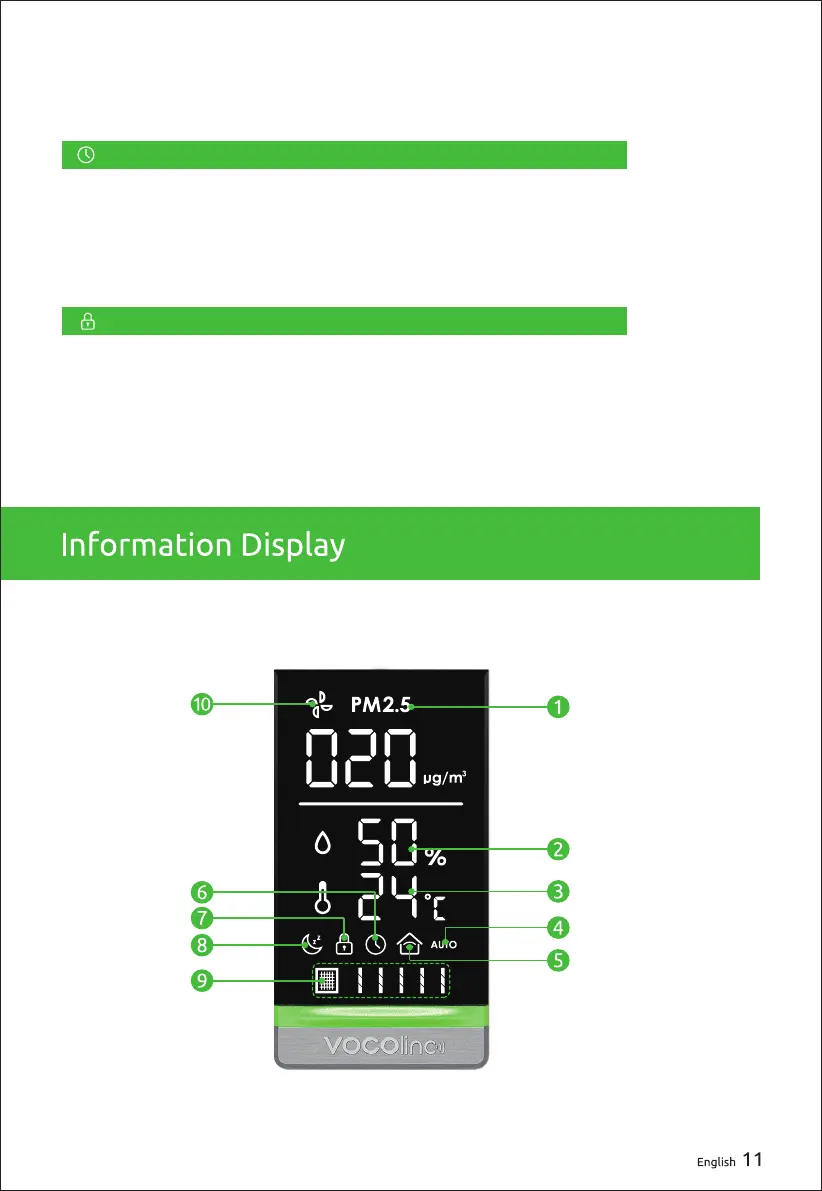
Press and hold for 3 seconds to activate the Kid Lock function (green
light turns on) which disables all other touch controls. You can unlock
this function by pressing and holding the button again for 3 seconds.
When the PureFlow is in Standby mode, press to set the timer
function and activate it; When on, press again to turn off the timer
function. The timer can be set between 0-24 hours. By selecting 0,
the timer will be canceled.
Timer Switch
Kid Lock Switch


 To Next Page