6
Your Vodafo ne Bro adba nd rou ter co nform s to rec ogni sed Wi -Fi st anda rds an d enab les yo ur devi ces
to be easily connected wirelessly.
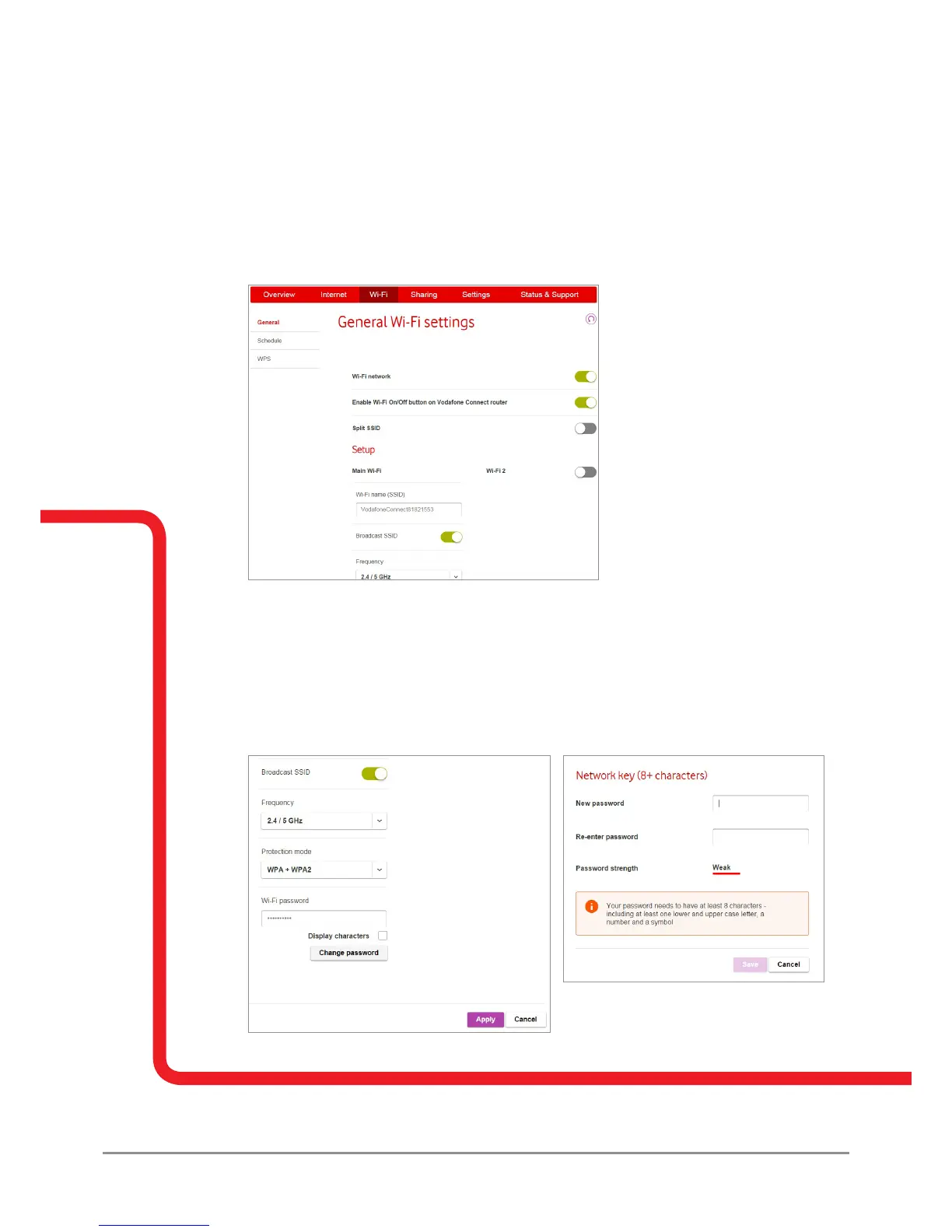
How do I change my Vodafone Broadband router’s Wi-Fi name?
1. Go to the ‘Wi-Fi’ tab.
2. Select ‘General’.
3. Enter your new Wi-Fi name in to the ‘Wi-Fi name (SSID)’ section.
4. Click ‘Apply’.
How do I change my Vodafone Broadband router’s Wi-Fi password?
1. Go to the ‘Wi-Fi’ tab.
2. Select ‘General’.
3. Click on the ‘Change password’ dialogue box.
4. Follow the on screen instructions.
5. Click ‘Apply’.



 To Next Page