Advanced Configuration Guide
Vodafone Mobile Wi-Fi – R215
Vodafone R215 August 2013
Version 0.1
6
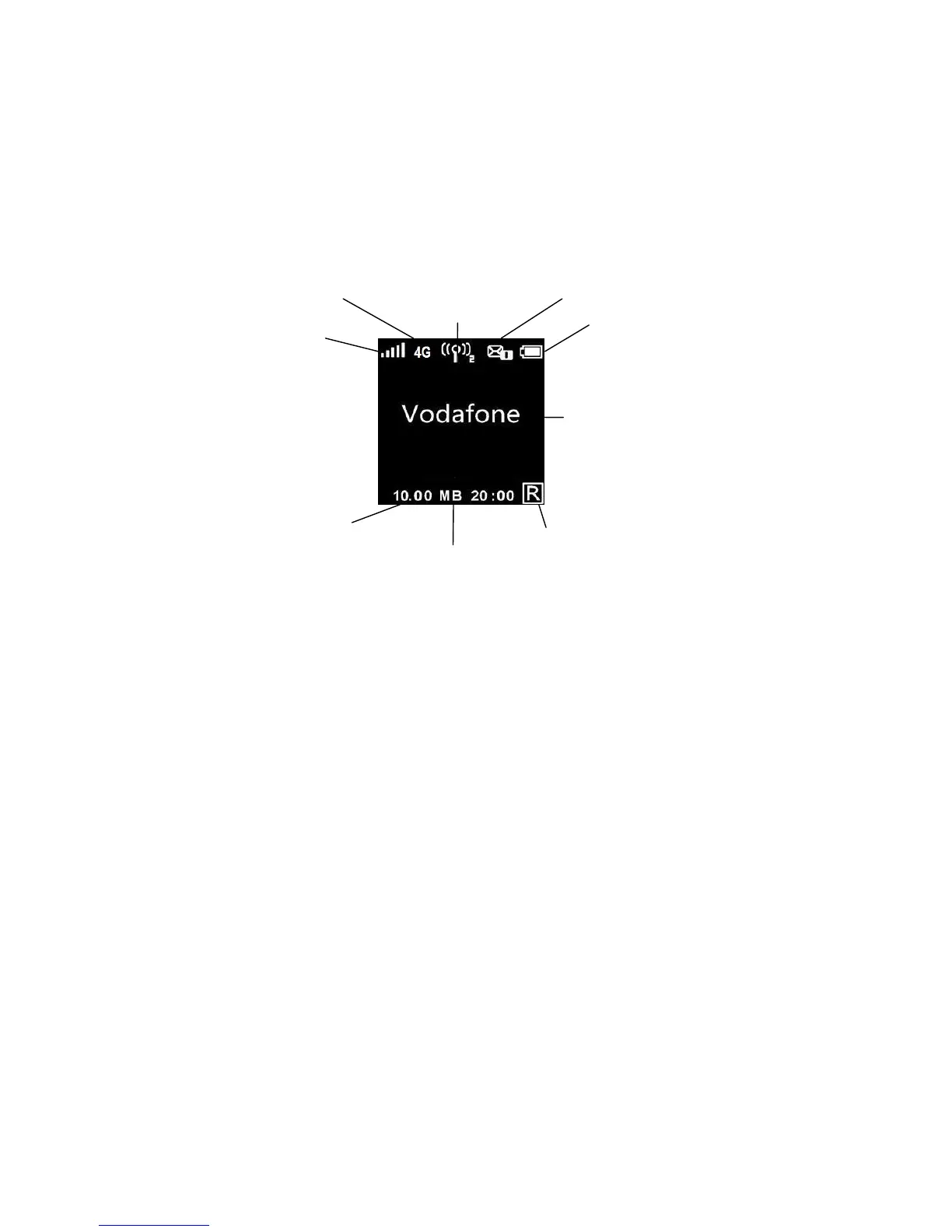
1.1.3 Vodafone Mobile Wi-Fi status display
The status display screen on the front of the device displays information about the state of the Mobile
Broadband connection, the network you are connected to, if an action is required from the user, the
status of the devices Wi-Fi connectivity, and the battery charge.
Display power saving : The built-in power saving function means the information is displayed for 20
seconds and then the display powers off. In order to illuminate the display, briefly press the Power button,
and the status information will display for another 20 seconds.
Display information
Network signal: 1-5 bars. 5 bars indicates strong network signal.
Bearer: Type of network bearer 4G, (H or 3G+): HSPA or HSPA+, 3G: 3G, E: EDGE, G: GPRS.
Wi-Fi status and number of users: Example above show Wi-Fi broadcasting and 2 users connected.
Unread messages: Number of unread SMS messages. Example above shows more than 1 unread SMS.
Battery: Varies from black (discharged) to white (fully charged). Example shows a fully charged battery.
Network Operator or additional information: The mobile broadband network that the device is connected to is
displayed.
Additional information messages may also be displayed here. Examples of messages are “No SIM”, “SIM
invalid”, “Input PIN”, and “Input PUK”.
Roaming indicator: The example above shows the device is roaming off your normal network.
Connect duration: Time of current connection to network.
Upload and download volume: Approximate cumulative data usage (multiple connections).
Battery
Upload & download
data volume
Connect
duration
Roaming
indicator
Network
operator or
additional
information
Wi-Fi status
and number
of users
Network
signal
Bearer
Unread
messages


 To Next Page
 Loading...