29
To clear the entire call memory, touch key from the phone
screen and touch Clear frequents.
3.3 Contacts
You can view and create contacts on your phone and
synchronise these with your Gmail contacts or other apps on the
web or on your phone.
3.3.1 View your contacts
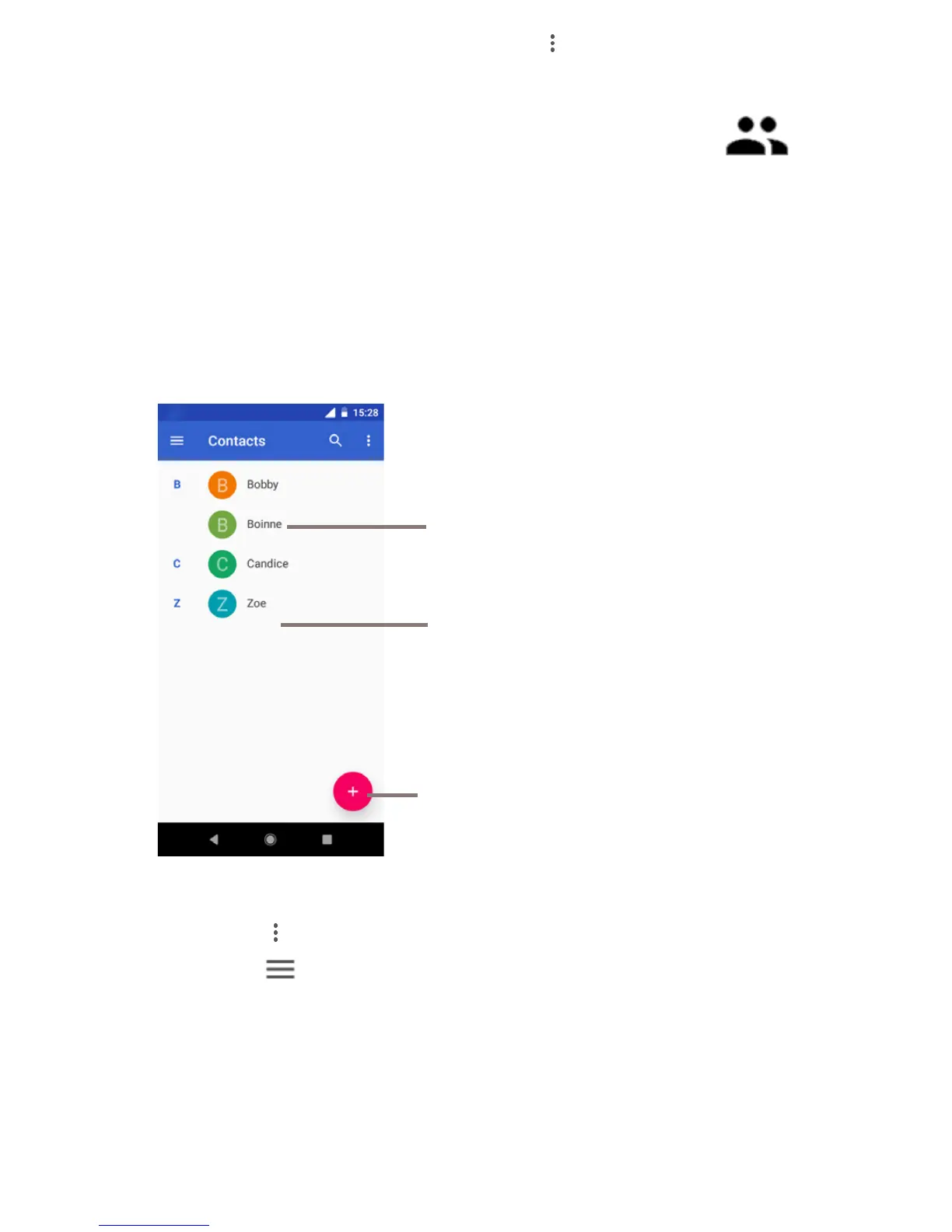
To access the Contacts app, touch the Application tab on the
Home screen, then select Contacts.
Touch icon to open the Quick Contact
panel and view the contact’s detailed
information, and
Search the contacts you want to find
by number, name, email or else
Contact list
Touch to add a new contact
Touch the key to delete and share one or more contacts.
Touch the key to display the contacts list option menu:
Contacts, Settings, Help & Feedback, Privacy Policy, and
Terms of Service.
Contacts display all contacts.
Help & Feedback helps solve problems if necessary.



 To Next Page