11
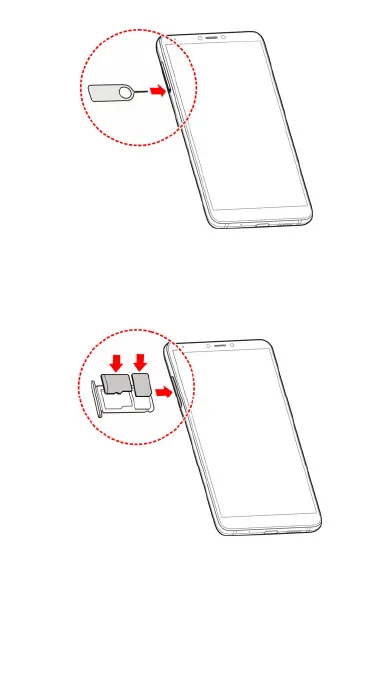
2. Pull out the card tray. You can place a nano-SIM card on
the right card slot, and place a microSD card on the left
card slot, as shown. Carefully slide the tray back into
place.
Charging the battery
Your phone’s battery should have enough power for the
phone to turn on, find a network signal, and make a few calls.
You should fully charge the battery as soon as possible.



 To Next Page