40
Gboard
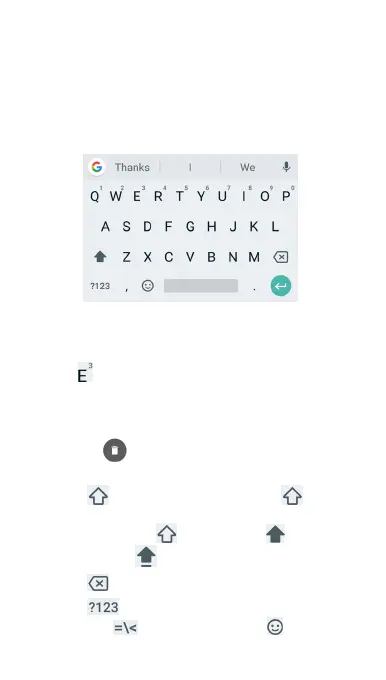
Gboard provides a layout similar to a desktop computer
keyboard. When screen auto-rotation is enabled, turn the
phone sideways and the keyboard will change from portrait
to landscape. The landscape keyboard is not supported in all
applications.
Touch the alphabetic keys to enter letters. Touch and
hold some specific keys to enter associated accented
letters or numbers. For example, to enter È, touch and
hold
and the available accented letters and number
3 appear. Then slide to choose È.
As you enter a word, candidates appear above the
keyboard. Touch to select the correct one. (You can drag
a word to
to remove it from the list of possible
suggestions.)
Touch
to use uppercase. Double-tap to lock
uppercase. This key also changes to indicate the current
case you are using:
for lowercase, for
uppercase, and
when locked in uppercase.
Touch
to delete the text before the cursor.
Touch
to select numbers and symbols. You can
then touch
to find more or touch to choose



 To Next Page