41
emoji and emoticons.
Touch
to use Google voice typing.
Touch and hold
to change the input language or set
up Gboard.
Touch and hold
and then slide to to change
the keyboard layout for one-handed typing.
Touch
to access more options.
NOTE:
The keyboard layout may change in different apps.
Glide Typing
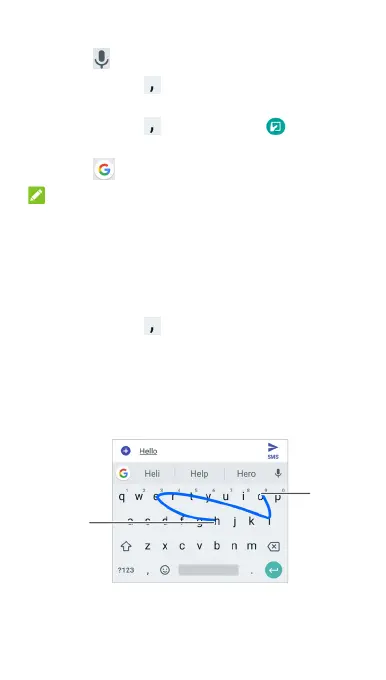
Gboard supports the glide typing feature. You can use this
feature to input a word by sliding through the letters.
To enable and use glide typing:
1. Touch and hold
on Gboard.
2. Touch Glide typing and then touch Enable glide
typing if this feature is turned off.
3. Move your finger from letter to letter on the keyboard to
trace a word without lifting the finger until you reach the
end of the word.
End of
the word
Start of
the word



 To Next Page