98
4. Touc h Phone ringtone or Notification sound.
5. If prompted, select part of the song or full song and
touch SET AS RINGTONE or SET AS NOTIFICATION
TONE.
NOTE:
If the song is being played and you’re in the playback screen,
you can touch
> Set as ringtone.
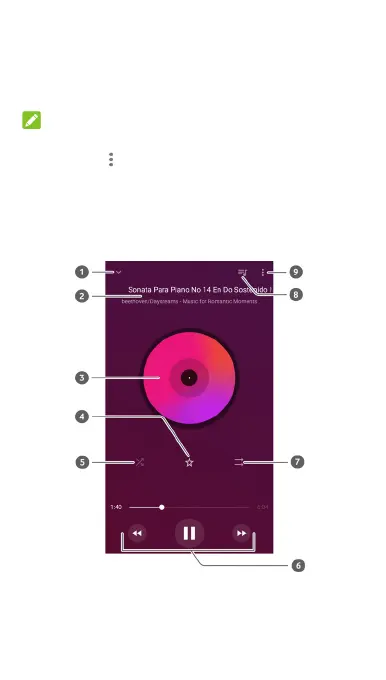
Playing music
Touch a song in the music library to listen to it. Touch the
bottom of the screen to open the following playback screen.



 To Next Page