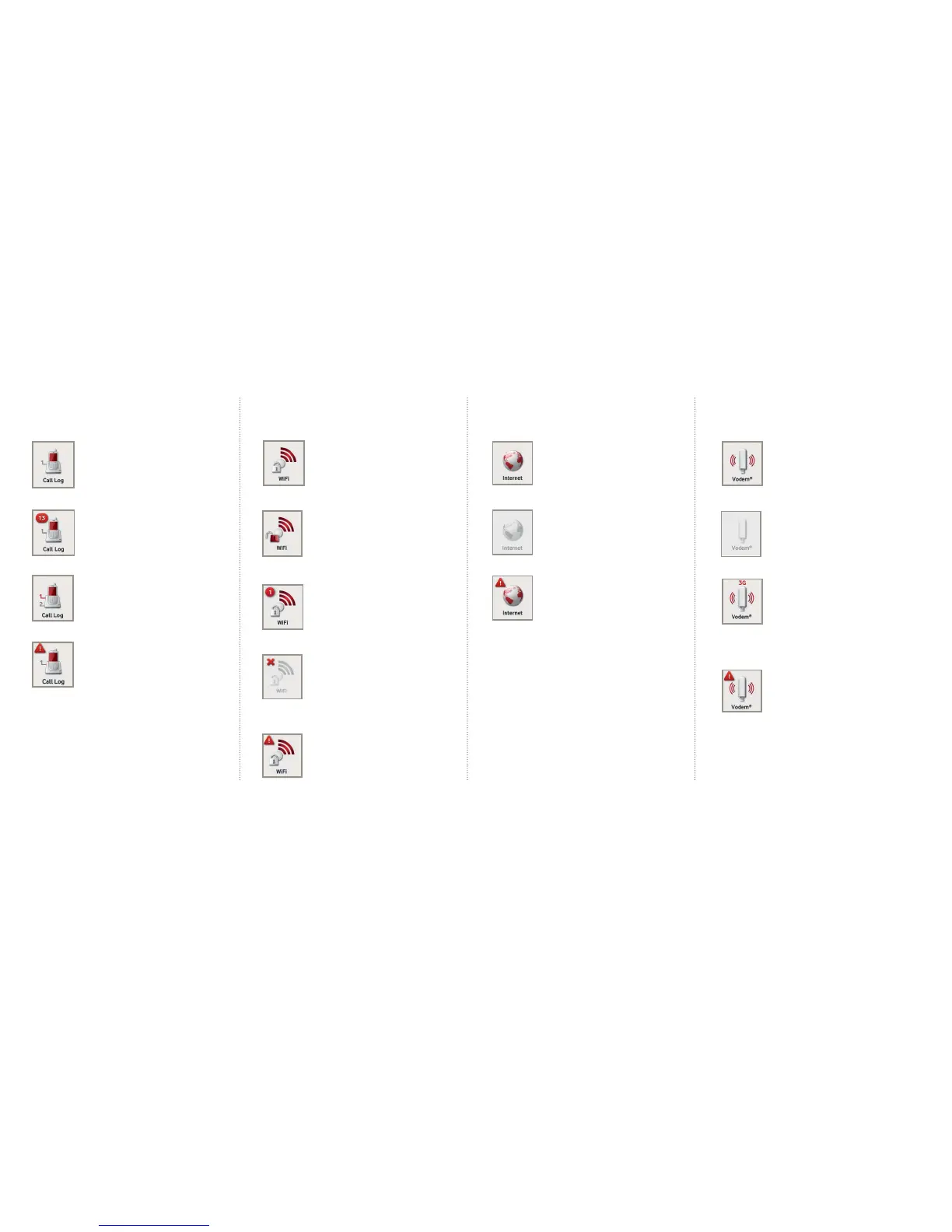
WiFi
WiFi is working properly and
is password-protected.
This shows that WiFi is turned on
and working but is not password
protected.
The number in the red circle shows
how many WiFi devices are connected.
WiFi is turned off. Select the icon and
press OK to have the option to turn it
on again.
An alert symbol shows that the
WiFi is not working properly
3.2 LCD icons
Call Log
The phone is connected and working
properly. There are no active calls.
You have a number of missed calls
(shown in the red circle).
When a phone line is busy it will be
shown in red on the Call Log icon.
An alert symbol signals that there
may be an issue with your voice service.
Call log functionality is only available
on some Vodafone plans
Vodem
This shows that a vodem is plugged
into the Vodafone Station.
No vodem is plugged in or it is
plugged in incorrectly.
A vodem is plugged into the Vodafone
Station and is connected to the
internet. The signal bars indicate the
signal strength and will include
the type of network connection
(GPRS, 3G, HSPD).
An alert symbol shows there is an issue
with the vodem connection and it is
not working properly.
Internet
The Vodafone Station is
connected to the internet.
This shows that the modem
cannot detect a connection.
An alert symbol means that the
internet cable has been connected,
however the Vodafone Station has
not yet established a connection
to the internet
®


 To Next Page
 Loading...