2
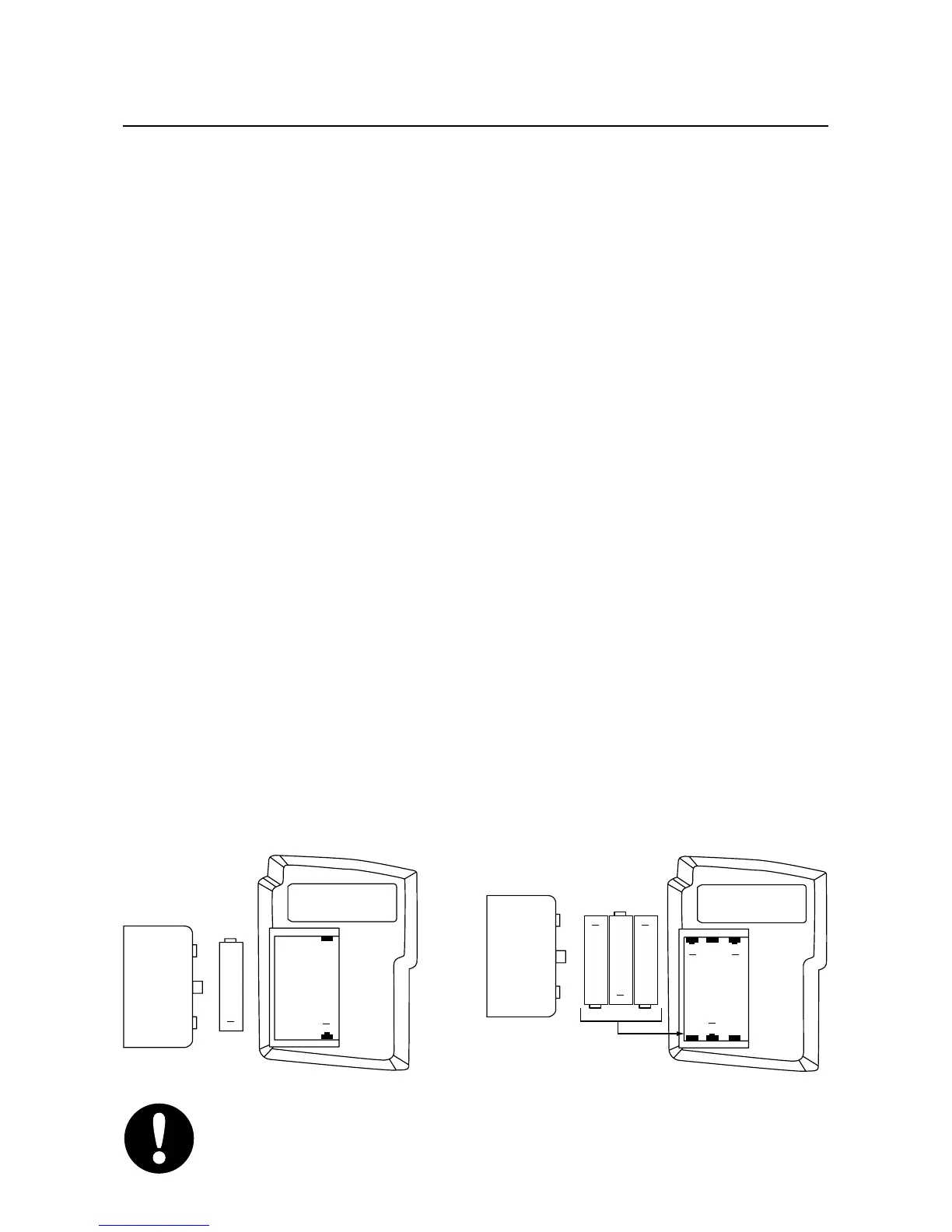
How to Load Batteries
1. Open the battery compartment on the back
of the unit by sliding the cover off. Your
VT-300 may require one AAA or three
AAAA batteries.
2. Install the battery (or batteries) with + and –
terminals oriented as shown in the figure
below. When installed properly the red and
green LEDs will flash and you will hear four
beeps. If you do not hear the four beeps you
will need to initialize the unit. To initialize
the unit press and hold the ERASE all
button for about 10 seconds until the red
and green LEDs flash simultaneously
followed by ten green flashes and beeps.
3. Replace the cover.
IMPORTANT: All messages will be erased when
you initialize the unit.
+
+
AAA
battery
compartment
cover
+
+
AAAA
+
AAAA
+
AAAA
+
+
battery
compartment
cover


 To Next Page