Page 6 of 16
STEP 4: AVIONICS | WORK TABLE
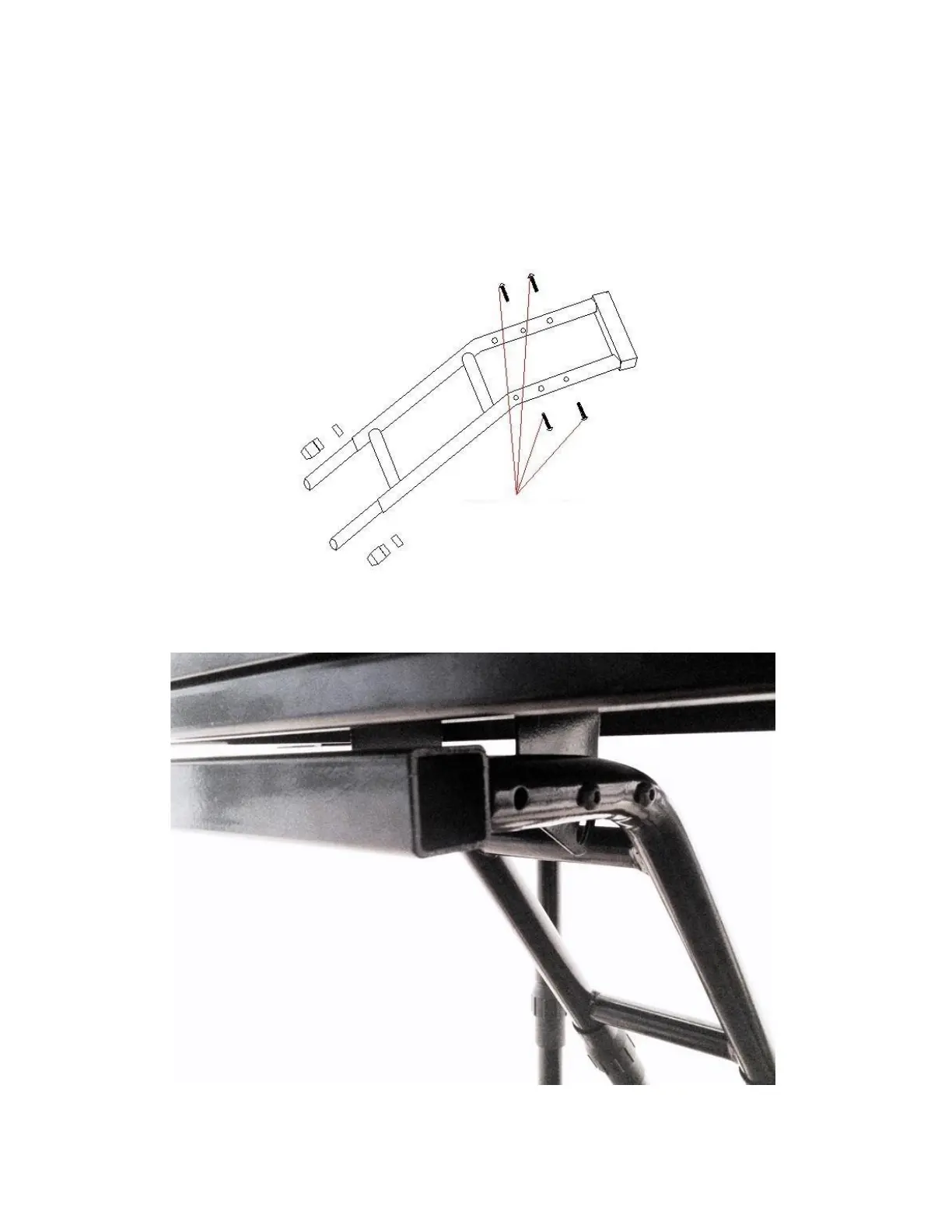
Attach the avionics table to the support structure with four (4) M6*35mm Button Head Machine Screws (No. 9) and four
(4) M6 Self-Locking Nuts (No. 4). Note that there are two positions (as shown in FIGURE 4) in which the table can be
mounted depending on whether you want the table closer or farther away from you. Ensure that the row of holes drilled
along the top edge of the table is facing towards the seat. These holes are pre-drilled for attaching the Volair Sim Avionics
Panel, Logitech (Saitek) Pro Flight Yoke, Logitech Steering Wheel, Thrustmaster T500RS Steering Wheel, and Logitech
(Saitek) Pro Flight Accessories (on left and right sides of the yoke) to table.
FIGURE 4: ATTACHING TABLE TO SUPPORT STRUCTURE


 To Next Page
 Loading...