Need help?
Do you have a question about the volkano Serene Series and is the answer not in the manual?
Diagram showing how to connect the watch to the charging adaptor.
Instructions on how to turn the watch on and off using the virtual key.
Guide on how to download and install the Volkano Active App.
Steps to disconnect the fitness watch from your smartphone via the app.
Instructions for finding the Bluetooth menu on iPhone devices.
Instructions for finding the Bluetooth menu on Android devices.
Detailed steps for turning on, confirming actions, and navigating menus.
Instructions on how to change and select different watch faces.
How the watch records and displays daily activity like steps, calories, and distance.
Details on using the multi-sport modes for tracking activities like walking and running.
How to monitor heart rate and view data via the app.
How the watch monitors sleep and displays sleep reports.
How to check unread notifications for calls, SMS, and social media.
How the watch displays weather forecasts after syncing with the app.
Accessing the sub-menu for additional features like Alarm, Find Phone, etc.
How to set and check alarms via the Volkano Active App.
Using the watch to locate your paired smartphone by making it ring.
How to use the stopwatch feature for timing activities.
Activating the sedentary reminder to prompt movement after set conditions.
Using the watch to remotely capture photos on your smartphone.
Viewing Bluetooth Mac address, device name, and firmware version.
Displays performance indicators like activity, sleep, and heart rate.
Option to share progress through social media.
Setting current weight and ideal weight goals.
Displays the device's calendar function.
Logs all recorded activities from the fitness watch.
Allows toggling and setting reminders.
Changing user profile information.
Setting goals for steps, distance, calories, and sleep.
Managing which app notifications appear on the watch.
Toggles settings for weather, movement, heart rate, drinking water, and gesture control.
Makes the watch vibrate to help locate it.
Syncs performance data to Google Fit.
Allows changing the app's theme.
Choosing which Volkano Active Tech Watch model to connect.
Updating the watch's firmware.
Clears all stored performance data from the app.
Displays the app's version information.
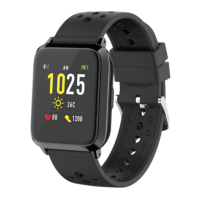
The Volkano Active Tech Serene Series Fitness Watch is a waterproof fitness watch designed to monitor various aspects of your health and activity, offering comprehensive features for daily use and fitness tracking. It boasts a durable metal alloy casing and a hypo-allergenic strap, ensuring comfort and longevity. The watch is equipped with an IPS single-point color touch screen for easy navigation and interaction.
The primary function of this device is to serve as a personal fitness and health tracker. It includes a built-in heart rate monitor, allowing users to keep track of their heart rate during workouts and throughout the day. The watch also features multi-sport monitoring, which enables it to track various activities such as walking, running, climbing, and cycling, recording relevant motion data for each.
A pedometer and calorie usage tracker are integrated, automatically recording daily steps taken, calories burned, and distance covered. This data can be synchronized with the Volkano Active App for a more detailed overview of your activity. The device also includes a sleep monitor, which automatically tracks sleep patterns, providing a sleep report with total sleep, light sleep, and deep sleep times.
Beyond fitness, the watch offers several smart features to keep you connected. It provides missed call and message notifications, displaying incoming calls, SMS, QQ, WeChat, WhatsApp, Facebook, and Twitter messages. A weather forecast function is also available, which, after synchronization with the app, displays local weather conditions. Users can manually set their city or allow the app to do so automatically.
Additional utilities include an alarm clock, which vibrates and animates an icon when the set time is reached. A "Find Phone" feature allows the watch to make your connected smartphone ring, helping you locate it. For photography enthusiasts, a remote camera capture function enables you to take pictures on your smartphone remotely from your fitness watch, though this feature is phone-dependent. A stopwatch is also included for timing activities.
The watch also incorporates a sedentary reminder, which vibrates to prompt the wearer to move after a set period of inactivity, promoting a more active lifestyle.
The Volkano Active Tech Serene Series Fitness Watch is designed for intuitive use, primarily through its virtual key and touch screen.
To change the watch face, long press the virtual key for 3 seconds. Tap briefly to cycle through different watch faces, then long press again to select your desired one.
The watch automatically records daily activity. Long press the Virtual Key to access a details page showing steps, calories, and distance. This data can be viewed on your smartphone after synchronizing with the Volkano Active App.
Press and hold the Virtual Key in sport mode to enter the multi-sport function. Choose from walking, running, climbing, or cycling. The watch will record motion data. To complete a sport, press the virtual key to stop and save your exercise data. Sports records can be checked via the Volkano Active App after synchronization.
Long press the Virtual Key to start monitoring your heart rate. Long press again to exit the heart rate monitor. Heart rate data can be viewed on your smartphone after syncing with the Volkano Active App.
Long press the Virtual Key to check unread notifications for incoming calls, SMS, and various social media messages.
Long press the Virtual Key to access a sub-menu with options like Alarm, Find Phone, Stopwatch, Sedentary, Camera, About, Reset, Restart, and Power Off.
Long press the Virtual Key to toggle this mode On or Off. Long press again to exit. The device will vibrate to remind you to move.
The app dashboard displays daily performance indicators including activity, sleep, and heart rate.
Proper care and maintenance are crucial for the longevity and optimal performance of your Volkano Active Tech Serene Series Fitness Watch.
While the heart rate monitor technology is advanced and medically tested, there are limitations that may cause inaccuracies under certain circumstances, such as user physical characteristics, device fit, and activity intensity. The heart rate monitor is NOT intended for medical purposes, diagnosis, treatment, cure, or prevention of any disease or condition. Do not rely on device information as an alternative to medical advice. Consult a doctor or professional healthcare provider for any specific medical questions or conditions. Do not delay seeking medical advice, disregard medical advice, or discontinue medical treatment based on information from this device.
 General
| Connectivity | Bluetooth |
|---|---|
| Strap Material | Silicone |
| Battery Life | Up to 7 days |
| Compatibility | Android 4.4 or Higher; iOS 8.0 or Higher |
| Sensors | Heart rate monitor, Pedometer |

 To Next Page